Why Email Is Still One of the Most Valuable Professional Skills in 2026
Estimated Reading Time: 14–16 minutes
Why Email Is Still One of the Most Valuable Professional Skills in 2026
Introduction: Almost Every Professional Sends Emails — But Very Few Write Ones That Actually Work
Almost every professional sends emails. But very few people ever learn how to write emails that create results.
Think about that for a moment.
You were taught how to read, how to write essays, maybe even how to give a presentation. But nobody sat you down and explained how to write an email that gets a response, closes a deal, or builds a relationship. Most professionals are simply winging it — and it shows.
In 2026, inboxes are more crowded than ever. Attention is the scarcest resource in business. And yet, email remains the single most used professional communication channel in the world, with over 361 billion emails sent per day across businesses globally. Slack channels fill up. LinkedIn messages get ignored. Phone calls go to voicemail. But a well-crafted email — one that is clear, relevant, and purposeful — still gets read, still gets responses, and still moves business forward.
The difference between sending emails and communicating effectively through email is not small. It is the difference between a proposal that gets approved and one that sits unread. Between a follow-up that converts and one that annoys. Between a career that accelerates and one that quietly stalls.
This article is about that difference — and what you can do about it.
Section 1: Why Email Still Matters in 2026
Every few years, someone declares email dead. Every time, they are wrong.
Despite the rise of instant messaging, video calls, and collaboration tools, email has not just survived — it has become more important, not less. Here is why.
Email Is the Foundation of Business Relationships
Consider what happens in a typical business relationship. You meet someone at a conference. You connect on LinkedIn. But then you follow up — by email. You send proposals, contracts, invoices, updates — by email. You negotiate terms, resolve issues, and confirm decisions — by email. Email is not a relic of the past. It is the paper trail of professional life.
In client-facing roles especially, the quality of your emails defines the quality of your relationship. A recruiter who reaches out with a vague, copy-pasted message signals that they do not take the candidate seriously. A sales professional who follows up with a thoughtful, personalized email signals that they understand the prospect’s problem. That distinction lives entirely in the email.
Email Drives Sales Conversations
According to sales research, the majority of B2B purchases involve six to ten decision-makers. The average sales cycle includes multiple email touchpoints — prospecting, nurturing, proposing, following up, closing. Each one of those emails either advances the conversation or kills it.
One poorly written follow-up email can undo weeks of relationship-building. One exceptional outreach email can open a door that no amount of cold calling could. The professionals who understand this invest in their email communication. The ones who do not often wonder why their pipeline stalls.
Email Is How Careers Are Built and Opportunities Are Won
Job seekers who know how to write a compelling outreach email to a hiring manager get responses that most candidates never receive. Freelancers who send clear, professional project proposals win clients that their competitors lose. Consultants who communicate complex ideas simply through email build reputations that justify higher rates.
In short: email writing is a career skill. Not a soft skill. Not a nice-to-have. A genuine competitive advantage — and one that most professionals underestimate.
Section 2: Your Email Represents Your Professional Identity
Before you walk into a meeting, your email has already introduced you.
In professional settings, people form opinions fast. And in business communication, your email is often your first impression — before the Zoom call, before the handshake, before the pitch. How you write tells people how you think. Whether you are organized or scattered. Whether you respect their time. Whether you are someone they want to work with.
This is not dramatic. It is practical psychology. When someone receives your email, they are unconsciously asking: Is this person competent? Do they understand what I need? Can I trust them with my business?
Your email answers those questions before you get to speak a single word.
Emails Affect Trust, Credibility, and Decision-Making
Two emails. Same request. Wildly different results.
Poor email:
“Please check this and update me.”
No context. No deadline. No clear purpose. The reader does not know what to check, what “update” means, or why it matters. They either ignore it, send back a confused reply, or do the wrong thing entirely.
Better email:
“Could you review the attached proposal and share your feedback by Thursday? I want to incorporate your input before we send the final version to the client on Friday.”
This version is specific. It sets a deadline. It explains the reason. It shows the recipient that their input matters and that there is a clear next step. The reader knows exactly what to do, by when, and why.
The second email builds trust — not because it is polished, but because it is considerate. It was written for the reader, not just for the sender.
This is the core of professional email communication: clarity is a form of respect.
Section 3: Why Most Professional Emails Fail
Most professionals do not write bad emails because they lack intelligence. They write bad emails because nobody ever explained the common failure patterns. Here are the five most frequent reasons professional emails do not work — and how to fix each one.
1. No Clear Purpose
Many emails are sent out of obligation or habit rather than intent. The writer starts typing before knowing exactly what outcome they want.
Fix: Before you write a single word, answer this question: What is the one thing I want the reader to do after reading this email? Write that answer down. Then build the email around it.
2. Too Much Unnecessary Information
Long emails with multiple points, background history, and tangential information get skimmed or skipped. Readers do not read business emails — they scan them.
Fix: Apply the “one email, one purpose” rule. If you have three separate requests, send three separate emails (or clearly number them). Keep the core message under 150 words whenever possible.
3. No Clear Action Request
A surprising number of professional emails end with no call to action. The reader finishes and thinks: Okay, but what am I supposed to do?
Fix: Every professional email should end with one clear, specific request. Not “Let me know your thoughts” — that is vague. Try instead: “Could you confirm by Wednesday whether the budget is approved?” Specific. Actionable. Deadline-driven.
4. Writing Only From the Sender’s Perspective
Emails that focus entirely on what the sender needs — without acknowledging the reader’s situation, constraints, or interests — feel self-serving.
Fix: Before sending, ask: What is in this for the reader? Why should they care? Even a simple addition like “I know you have a busy week, so I have kept this brief” signals awareness of the other person’s reality.
5. Ignoring Tone and Emotional Register
A message that is technically correct but emotionally off — too cold, too casual, too aggressive — can derail a relationship even when the words are accurate.
Fix: Read your email aloud before sending. If it sounds robotic, add a human touch. If it sounds passive-aggressive under stress, rewrite the opener. Tone is invisible when it is right and glaring when it is wrong.
Section 4: The Mindset Shift — From Sending Emails to Creating Conversations
Here is a mindset that changes everything.
Old mindset: “I need to send information.”
Better mindset: “I need the reader to understand, respond, and take action.”
That shift sounds small. The difference in results is enormous.
When your goal is to “send information,” you write for yourself — what you know, what you need, what you want to say. When your goal is to “create a conversation,” you write for your reader — what they need to know, what matters to them, and what you want them to do next.
A Simple Framework: Purpose → Context → Value → Action
This four-step structure works for almost every professional email. Apply it each time.
Purpose — What is the single goal of this email? State it in the subject line and opening sentence. Do not bury the lead.
Context — Why is this relevant right now? Give the reader just enough background to understand the situation. One or two sentences is usually sufficient.
Value — What does the reader gain from reading and responding? Make the benefit to them explicit, not implied.
Action — What exactly do you want them to do, and by when? One clear request, stated directly, with a timeline if relevant.
Example in action:
Subject: Quick feedback needed on the Henderson proposal — by Thursday
Hi Sarah, I am finalizing the proposal for Henderson Industries before our Friday deadline (Purpose). We have updated the pricing section based on last week’s call (Context). Your input on section 3 would help us make sure the messaging is aligned before it goes out (Value). Could you take ten minutes today or tomorrow to review and reply with any changes? (Action)
That email is 72 words. It is clear, respectful, actionable, and almost certain to get a response.
Section 5: How AI Is Changing Professional Email Writing
The biggest shift in professional communication over the past two years is not a new messaging platform. It is AI.
Tools like ChatGPT, Claude, and purpose-built AI writing assistants have changed how emails are drafted, revised, and refined. And for professionals who know how to use them well, the results are remarkable.
What AI Does Well
Improving clarity. AI can rewrite a confusing paragraph in seconds, stripping out jargon and tightening logic.
Adjusting tone. Need your email to sound more authoritative? More empathetic? More concise? AI can recalibrate tone on request.
Creating professional drafts. Instead of starting from a blank screen, professionals can now describe the situation in plain language and let AI produce a working first draft — which they then refine.
Saving writing time. A thoughtful follow-up email that might take twenty minutes to craft can be drafted and polished in under five. That time compounds across hundreds of emails per month.
What AI Does Not Replace
Here is the important nuance: AI works best as a co-writer, not a ghostwriter.
AI does not know your relationship with the reader. It does not know the history of your deal, the client’s personality, or the cultural context of your industry. When you hand the entire email process to AI without human judgment, the result is often generic, slightly off, or misaligned in ways that a careful reader will notice.
The professionals who will win with AI are those who use it to enhance their thinking — not replace it. They bring the context, strategy, and judgment. AI handles the drafting, refinement, and speed.
This combination — human insight plus AI efficiency — is what defines email productivity in 2026.
Upgrade Your Email Skills With Practical Resources
Understanding these principles is the first step. The next step is having the right tools to apply them consistently, across every situation you encounter.
The resources below are designed specifically for business professionals, salespeople, freelancers, and client-facing teams who want to communicate better through email — without spending hours crafting every message from scratch.
Resource 1: 100+ AI Email Writing Prompts — ChatGPT Prompts for Business, Sales & Client Communication
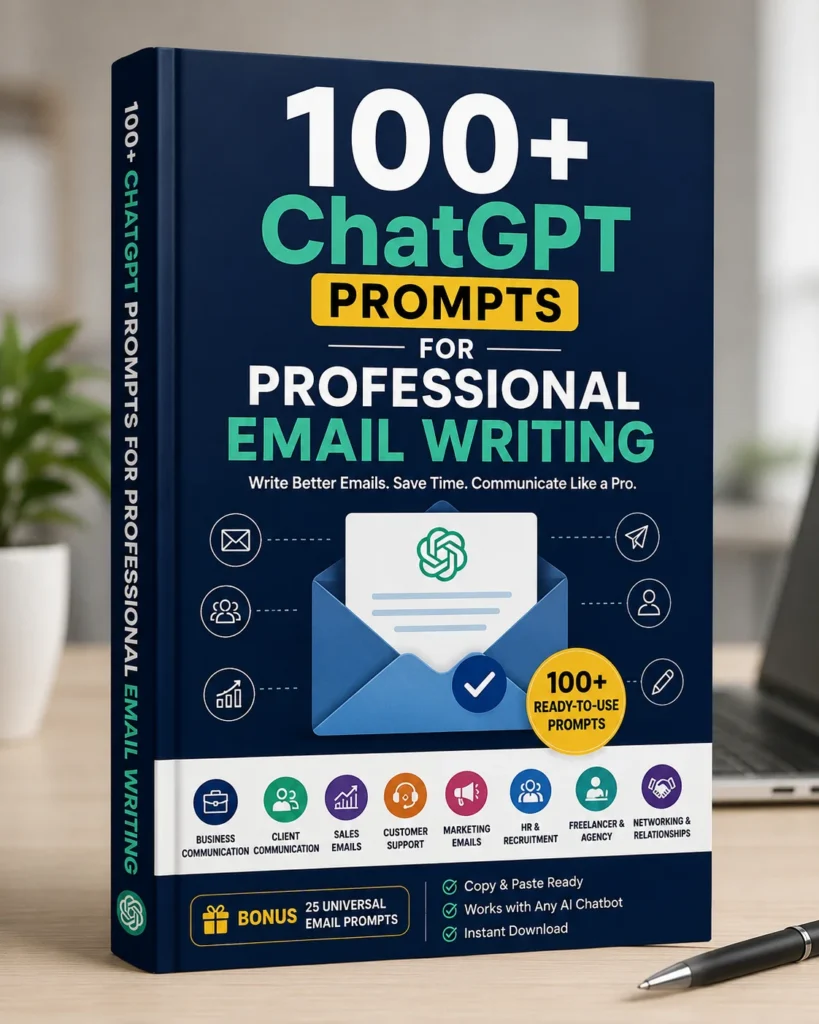
Best for: Professionals who want to use AI to write better emails faster.
If you are using ChatGPT or any AI assistant for email writing but not getting results you are happy with, the problem is almost always the prompt. Vague instructions produce vague emails. This collection gives you over 100 ready-to-use prompts engineered specifically for professional email situations.
With these prompts, you can:
- Generate polished email drafts in under a minute
- Instantly improve tone — from too formal to more approachable, or vice versa
- Handle client communication scenarios you have never faced before
- Respond to difficult emails without overthinking the wording
- Save hours of writing time every week
This is the starting point for anyone who wants to combine human communication judgment with AI writing speed.
Resource 2: 100+ Professional Email Templates For Every Client Situation
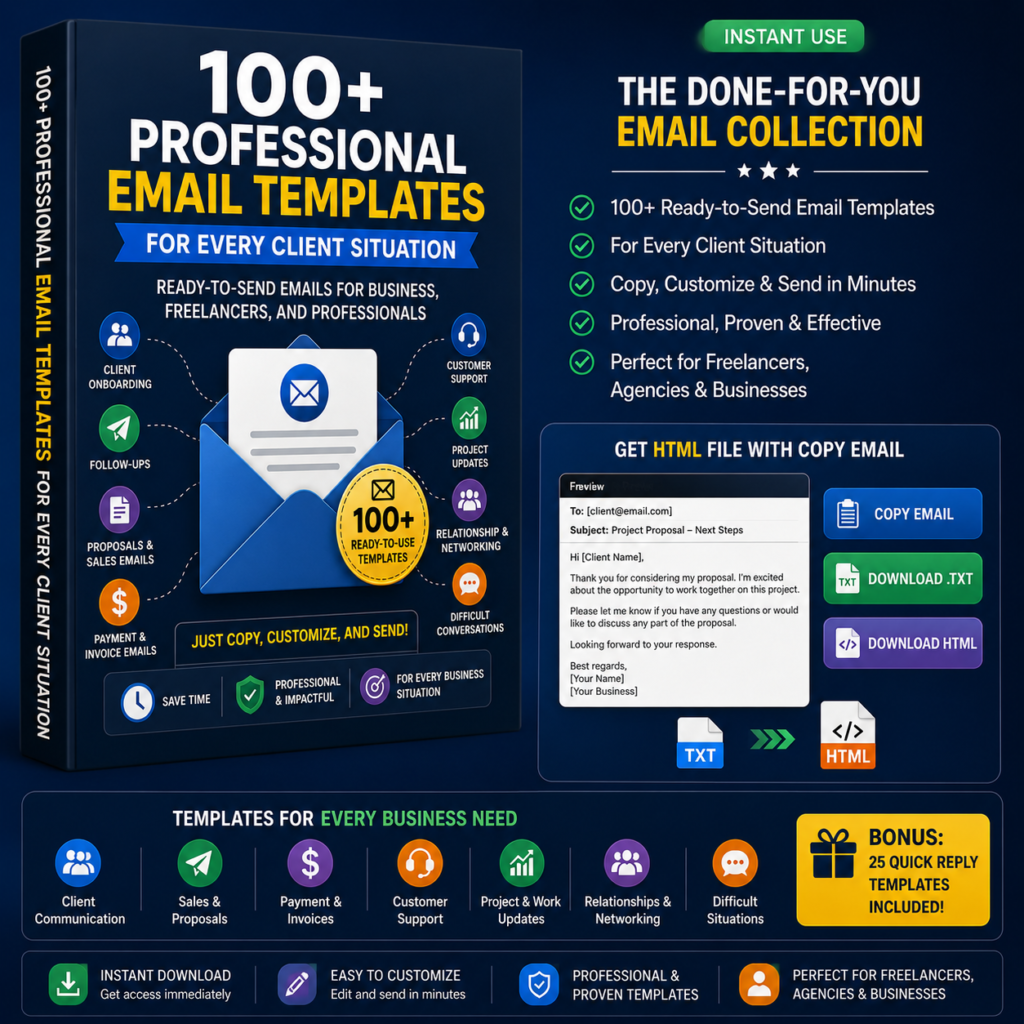
Best for: Professionals who want proven structures they can use immediately.
Not every situation calls for AI drafting from scratch. Sometimes you need a reliable, field-tested email structure you can adapt in two minutes. This template collection covers the situations professionals face most often.
Use cases include:
- Replying to difficult client requests without damaging the relationship
- Following up after proposals, meetings, or periods of silence
- Making professional business requests that get taken seriously
- Communicating delays, changes, or bad news clearly and diplomatically
- Handling sales conversations at every stage — from prospecting to closing
These templates are not fill-in-the-blank forms. They are strategic communication structures built around the frameworks that work in real business situations.
Resource 3: The Ultimate Email Template Vault — 500+ Ready-to-Use Emails
Best for: Professionals who want a complete email communication library.
For those who communicate extensively through email — across sales, client management, internal teams, recruiting, or business development — this is the definitive resource.
The Email Template Vault includes over 500 professionally written email templates covering virtually every business situation you are likely to encounter, organized by category and purpose.
What makes this different:
- Far more examples and edge-case situations than most professionals ever anticipate needing
- Covers complex multi-step scenarios like client onboarding sequences, negotiation threads, and re-engagement campaigns
- Designed for speed — find the right template, personalize two or three sentences, send with confidence
- Functions as a complete email workflow system, not just a collection of isolated templates
Whether you are building a client communication process from scratch or looking to upgrade an existing one, the Vault is the resource professionals reach for when they want to handle every situation well — not just the common ones.
Comparison: Which Resource Is Right for You?
| Resource | Best For | Main Benefit |
|---|---|---|
| AI Email Prompts (100+) | Professionals using ChatGPT or AI tools | Write better emails faster using AI |
| Professional Templates (100+) | Anyone needing ready-to-use structures | Handle common client situations quickly |
| Email Template Vault (500+) | High-volume communicators and teams | A complete email system for every situation |
All three resources can be used independently or together. Many professionals start with the AI prompts to build their drafting speed, add the 100+ templates for their most frequent situations, and graduate to the Vault when they want a complete system that scales.
The Future Belongs to Better Communicators
Here is what no AI tool, no new app, and no communication platform will change: the professionals who succeed are the ones who can create clarity, build trust, and move people to action through their words.
Email is not just typing. It is thinking made visible. It is strategy delivered in sentences. It is the difference between a deal that closes and one that drifts. Between a relationship that deepens and one that goes cold.
The good news is that email communication is a skill — which means it can be learned, practiced, and improved. You do not need to overhaul how you communicate overnight. Start with one email. Apply one framework. Write one message that is clearer, more purposeful, and more reader-focused than the one you would have written before.
Then do it again tomorrow.
Over weeks and months, that discipline compounds. Your emails get shorter and more effective. Your response rates improve. Your professional reputation sharpens. And the people you email — clients, colleagues, prospects, partners — start to see you as someone who communicates at a different level.
That perception is worth more than most professionals realize. In a business world drowning in noise, clarity is rare. The communicators who have it stand out every single time.
Start Building Your Email Advantage Today
The resources above are designed to help you close the gap between the emails you are currently sending and the emails that create real business results.
Whether you want to write faster with AI, handle common situations with confidence, or build a complete email communication system — there is a practical starting point waiting for you.
Continue reading the Email Advantage series → The Anatomy of a Great Email: 5 Elements Every Professional Email Needs
Frequently Asked Questions
Q: Is email still relevant in 2026?
A: Absolutely. Email remains the primary channel for professional communication, client relationships, sales conversations, and business operations. Despite the growth of messaging apps and collaboration tools, email is still where decisions get made, proposals get sent, and business relationships are maintained. Over 300 billion business emails are sent every day — the channel is not declining; the stakes for writing well have simply increased.
Q: How can I improve my professional email writing skills?
A: The fastest way to improve email writing is to focus on three things: clarity of purpose, awareness of your reader, and a clear call to action. Before sending any email, answer: What do I want the reader to do? Does this email make that obvious? Then use the Purpose → Context → Value → Action framework to structure your message. Practicing with real templates and AI writing tools can also accelerate your improvement significantly.
Q: What are the most common email writing mistakes professionals make?
A: The five most common mistakes are: (1) No clear purpose, (2) Too much unnecessary information, (3) No specific call to action, (4) Writing only from the sender’s perspective without considering the reader’s needs, and (5) Getting the tone wrong — too cold, too casual, or too vague. Fixing even two or three of these immediately improves how your emails are received.
Q: How can I use ChatGPT to write better professional emails?
A: ChatGPT can significantly improve your email writing speed and quality — but the quality of your output depends on the quality of your prompt. Vague prompts produce generic results. Specific prompts that include context, tone, reader role, and desired outcome produce professional, usable drafts. Using a collection of engineered ChatGPT email prompts designed for business communication is the fastest way to get consistent, high-quality results from AI.
Q: What are the best professional email templates to use for client communication?
A: The best templates are those built around real business situations — not just generic fill-in-the-blank structures. Look for templates that cover follow-ups, proposals, difficult conversations, requests, and sales sequences. The most effective professional email templates include a clear opener, necessary context, a specific value statement, and a direct call to action. Adapting proven templates to your voice and situation is far more effective than writing every email from scratch.
Q: How does AI change professional email communication?
A: AI tools like ChatGPT and Claude have made it possible to draft, refine, and improve professional emails in a fraction of the time it previously took. AI excels at improving clarity, adjusting tone, and generating first drafts from plain-language descriptions. However, AI works best when combined with human judgment — the writer still needs to provide context, strategy, and personal knowledge of the reader. The most effective approach is to use AI as a co-writer that enhances your thinking rather than a replacement that removes it.
Q: Can improving my email writing skills help my career?
A: Yes — significantly. Professional email communication directly affects how you are perceived by clients, colleagues, hiring managers, and business partners. People who write clear, purposeful, reader-focused emails build stronger professional reputations, win more opportunities, close more deals, and advance more quickly. Because so few professionals invest in this skill, those who do stand out in every communication they send.
This article is part of The Email Advantage Series — a collection of practical guides helping professionals write emails that create clarity, trust, and real business results.