The Anatomy of a Great Email: 5 Elements Every Professional Email Needs
Series: The Email Advantage: Master Professional Email Communication Article: #2 in the Series

The Anatomy of a Great Email: 5 Elements Every Professional Email Needs
Introduction
A professional email is not just a collection of sentences. It is a structured conversation designed to create understanding and drive action.
Think about the last time you read an email and immediately knew what the sender wanted, why it mattered, and what you needed to do next. That experience did not happen by accident. Behind those clear, confident words was a deliberate structure — one that many professionals have never been taught, but every high-performer has learned.
Here is the uncomfortable truth: most emails fail not because the information is wrong, but because it is poorly organized. The idea is buried. The ask is vague. The opening is forgettable. The reader skims, loses interest, or simply does not know what to do next — and the email gets no reply.
In a world where professionals send and receive an average of over 100 emails per day, the difference between a message that gets acted on and one that gets ignored often comes down to structure. Not vocabulary. Not industry knowledge. Structure.
This article breaks down the five essential elements that every effective professional email must contain — along with real examples, a practical framework, and tools to help you write better emails starting today.
Section 1: What Makes an Email Effective?
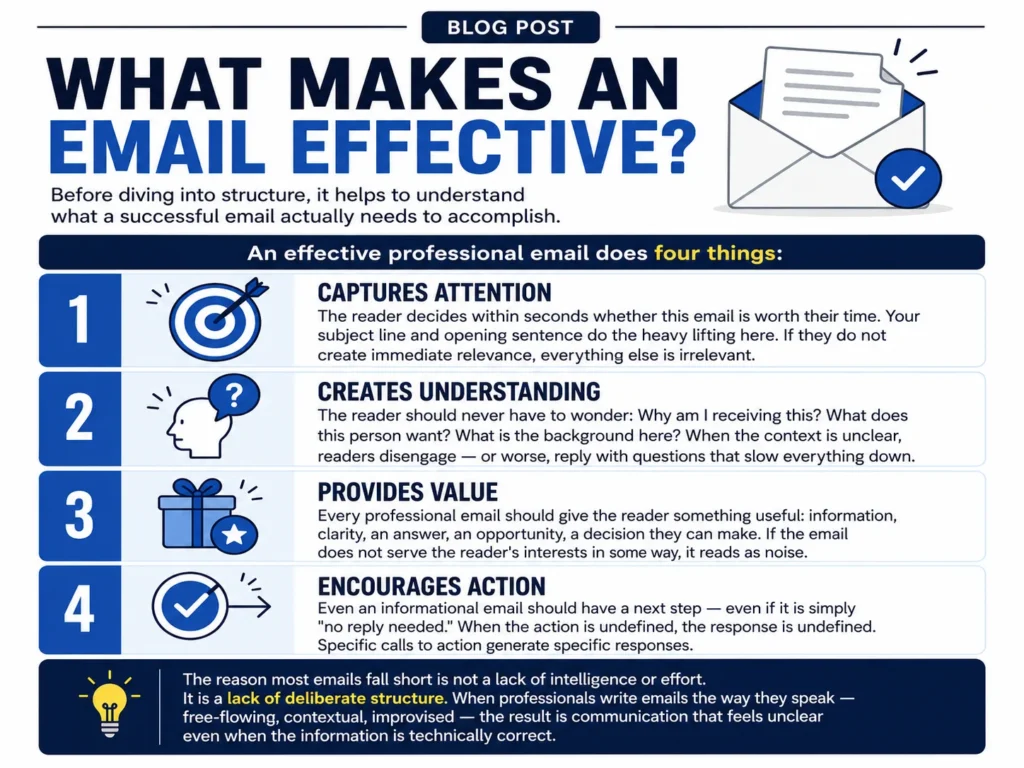
Before diving into structure, it helps to understand what a successful email actually needs to accomplish.
An effective professional email does four things:
1. Captures Attention The reader decides within seconds whether this email is worth their time. Your subject line and opening sentence do the heavy lifting here. If they do not create immediate relevance, everything else is irrelevant.
2. Creates Understanding The reader should never have to wonder: Why am I receiving this? What does this person want? What is the background here? When the context is unclear, readers disengage — or worse, reply with questions that slow everything down.
3. Provides Value Every professional email should give the reader something useful: information, clarity, an answer, an opportunity, a decision they can make. If the email does not serve the reader’s interests in some way, it reads as noise.
4. Encourages Action Even an informational email should have a next step — even if it is simply “no reply needed.” When the action is undefined, the response is undefined. Specific calls to action generate specific responses.
The reason most emails fall short is not a lack of intelligence or effort. It is a lack of deliberate structure. When professionals write emails the way they speak — free-flowing, contextual, improvised — the result is communication that feels unclear even when the information is technically correct.
Structure transforms information into communication.
Section 2: The 5 Essential Parts of a Professional Email
Part 1: A Clear Subject Line
The subject line is the first impression your email makes — and in many cases, the only impression. Before a single word of your message is read, the subject line has already determined whether the email will be opened, skimmed, or deleted.
A strong professional subject line has three qualities:
- Specific: It tells the reader exactly what the email is about.
- Relevant: It connects to something the reader already cares about.
- Action-focused: It signals what the reader will need to do.
Compare these two subject lines:
❌ Weak: Update
✅ Strong: 3 Changes Needed Before Friday's Client Presentation
The first tells the reader nothing. It could be from anyone, about anything. The second tells the reader who it is likely from, what it contains, how urgent it is, and what they will need to do — all in one line.
That specificity does something powerful: it respects the reader’s time before they have even opened the email. Professionals who write clear subject lines are perceived as more organized, more reliable, and easier to work with.
Quick tip for subject lines: When writing a follow-up or reply, update the subject line to reflect the current conversation — not the thread it started as. A subject line that reads “Re: Re: Re: Meeting Notes” creates unnecessary friction for everyone searching their inbox later.
Part 2: A Strong Opening
Once the email is opened, the first sentence is everything.
This is where many professionals fall into a pattern that quietly undermines their communication: the generic warm-up.
Weak opening: "I hope this email finds you well."
This phrase has become so common it no longer communicates anything. It reads as filler — a signal that the real message is still coming. Readers skim past it immediately, which means you have wasted your first sentence.
Compare this to a purposeful opening: "Thanks for sharing the report. I reviewed the key points and have three recommendations ready for your review."
The difference is significant. The second opening:
- Acknowledges something specific to the reader
- Signals that work has already been done
- Creates immediate anticipation for what comes next
- Respects the reader’s time by getting to the point
A strong opening does not have to be blunt or cold. It simply has to be relevant. Reference the last conversation, the shared project, the specific reason you are writing. Show the reader that this email was written for them — not copied and pasted from a generic script.
Part 3: Relevant Context
Between your opening and your request lives one of the most overlooked elements of effective email writing: context.
Your reader needs to answer three questions within the first few lines of your email:
- Why am I receiving this?
- Why does this matter to me?
- What background do I need to understand the request?
When context is missing, readers have to fill in the gaps themselves — and they often fill them in incorrectly. When context is excessive, readers tune out before reaching the point.
The goal is calibrated context: just enough background to make the next step make sense.
Example — Too little context: "I need the updated figures by Monday."
The reader has no idea which figures, why Monday, or what they will be used for.
Example — Too much context: "As you may recall, last quarter we discussed updating our reporting process. After the meeting in March, we decided to form a subcommittee. The subcommittee met twice and produced a preliminary report, which was reviewed by three department heads. Based on that process, we now need..."
By this point, the reader has lost the thread.
Example — Just right: "For the Q3 board presentation on Thursday, I need the updated revenue figures from your team. This data will go into the executive summary and financial overview slides."
Two sentences. Full context. Reader knows exactly what is needed and why.
Part 4: A Clear Action Request
This is where many professional emails break down most visibly.
Vague action requests produce vague responses — or no response at all.
Compare these two closing asks:
❌ Weak: "Let me know your thoughts."
✅ Strong: "Could you review the attached proposal and confirm your approval by Thursday at 3 PM?"
The first ask puts the work on the reader. They have to decide what “thoughts” means, which parts of what to address, and by when. This cognitive friction often results in the task being pushed aside.
The second ask is specific about:
- What to do (review the proposal)
- How to respond (confirm approval)
- When it is needed (Thursday at 3 PM)
Strong calls to action are not aggressive. They are clear. They make it easy for the reader to say yes, no, or here is an alternative — all of which move the conversation forward.
When you have multiple requests, number them:
“Two quick things before our call:
- Confirm your availability for Thursday at 2 PM
- Send over the client brief when you get a chance”
Numbered lists for action items significantly improve response rates because they are easy to check off — in the reader’s mind and in practice.
Part 5: A Professional Closing
The closing of your email is the last thing the reader sees. It shapes how they feel about the message, and by extension, about you.
A professional closing should match the tone of the email and the relationship with the recipient. It should feel natural — not robotic.
For a client-facing email: "Looking forward to your feedback. Please don't hesitate to reach out if you have any questions before then." Best regards, [Name]
For a follow-up email: "I'll circle back on Friday if I haven't heard from you — feel free to reach out before then with any questions." Best, [Name]
For a friendly professional email: "Thanks again for your time today — really appreciate it." Warm regards, [Name]
A few things to avoid in professional closings:
"Thanks in advance"— This presumes the reader will comply and can feel presumptuous."Sent from my iPhone"— Remove automatic signatures for important client emails.- Signatures that are longer than the email itself — Keep it clean and concise.
The closing reinforces your professionalism long after the email has been read. Make it count.
Section 3: The Professional Email Framework
Now that you understand each element individually, here is how they work together.
The ACVA Framework: Attention → Context → Value → Action
This framework is the backbone of effective professional email writing. It works for virtually every business communication scenario.
| Stage | Purpose | Applies To |
|---|---|---|
| Attention | Subject line + opening sentence that earns the read | Every email |
| Context | Background that makes the request make sense | Client updates, proposals, complex asks |
| Value | What the reader gains from engaging | Sales emails, follow-ups, project briefs |
| Action | The clear, specific next step | Every email |
How to use ACVA across different email types:
Client Email:
- Attention: Reference the project by name
- Context: Remind them of the last decision made
- Value: Explain what outcome this moves toward
- Action: Ask for one specific approval or input
Sales Email:
- Attention: Mention a pain point or relevant trigger
- Context: Briefly explain why you are reaching out now
- Value: Describe the result your product or service delivers
- Action: Ask for a short call, not a commitment
Internal Communication:
- Attention: Use a descriptive subject, not a generic one
- Context: Remind the team of the relevant project stage
- Value: What decision or update does this enable?
- Action: Make the ask department-specific and deadline-bound
Follow-Up Email:
- Attention: Reference the previous message naturally
- Context: Briefly restate what was discussed
- Value: Note any progress or update since the last contact
- Action: Ask for a simple yes, no, or suggested alternative
The ACVA framework does not constrain your writing — it focuses it. The result is emails that are faster to write, easier to read, and more likely to get a response.
Section 4: Why Professionals Use Email Templates
Here is something most high-output professionals have quietly figured out: they are not writing every email from scratch.
Not because they are lazy. Because they are efficient.
Think about the emails you write most often:
- Client onboarding messages
- Meeting request and confirmation emails
- Project status updates
- Follow-up emails after no response
- Sales introduction emails
- Feedback requests
- Professional networking outreach
For most professionals, these same email types come up dozens of times per month. Writing them from scratch each time is not just time-consuming — it is inconsistent. The version you write on a focused Tuesday morning will be sharper than the version you write under deadline pressure on a Friday afternoon.
Templates solve both problems.
A well-designed email template is not a rigid, impersonal script. It is a proven structure with placeholder fields for personalization. It gives you the framework — the subject line format, the opening approach, the context structure, the action wording, the closing — so you can focus your energy on the specific details that make each email relevant to that specific recipient.
The professionals who communicate most effectively are almost always working from a library of templates they have refined over time. They write better emails because they have fewer decisions to make about structure and more attention available for substance.
Build Your Professional Email Library
100+ Professional Email Templates For Every Business Situation
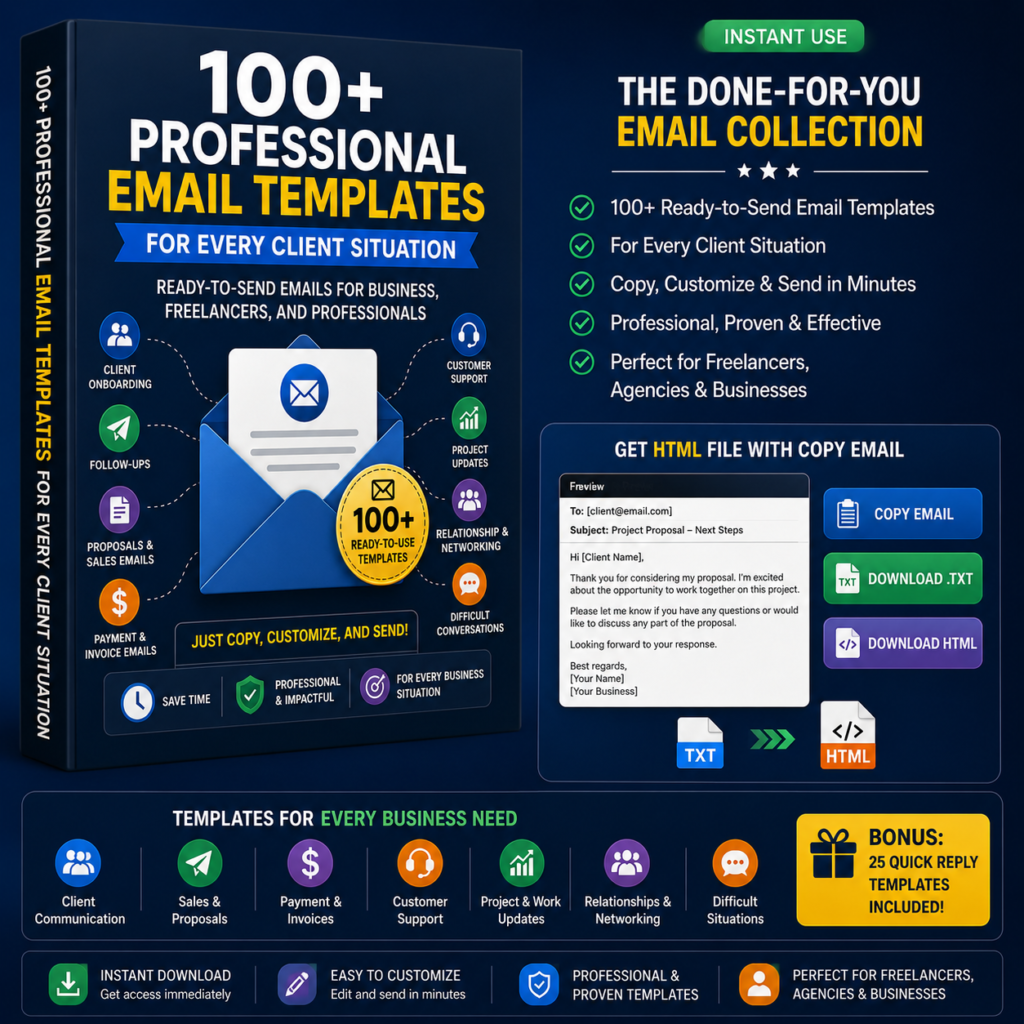
If you have recognized yourself in any part of this article — spending too long on emails, struggling to find the right words, wondering why certain messages go unanswered — there is a practical next step.
Our 100+ Professional Email Templates collection gives you a ready-to-use library of proven email structures for every common business scenario.
Each template is built using the same ACVA framework covered in this article and designed to be personalized in minutes — not hours.
What’s included:
- Client Communication Emails — Onboarding, updates, feedback requests, difficult conversations
- Follow-Up Emails — After meetings, proposals, no-reply situations
- Sales Emails — Introduction, pitch, objection handling, closing sequences
- Meeting Requests — Scheduling, confirming, rescheduling, canceling professionally
- Business Networking — Cold outreach, warm introductions, referral requests
- Project Communication — Briefs, status updates, deadline reminders, approvals
- Professional Responses — Declining requests, setting boundaries, delivering difficult news
Who uses these templates:
Entrepreneurs who need to communicate with clients without spending hours on every email. Sales professionals who need consistent outreach that still feels personal. Consultants who want their email communication to match the quality of their work. Freelancers building professional relationships with new and existing clients. Recruiters and HR professionals managing high-volume candidate communication.
These templates do not replace your voice. They give you a professional foundation to build on — every time.
Writing Emails From Scratch vs. Using Professional Templates
| Writing From Scratch | Using Professional Templates | |
|---|---|---|
| Time per email | 15–30+ minutes for complex messages | 3–7 minutes with personalization |
| Consistency | Varies by day, time, mood, and pressure | Reliable structure every time |
| Clarity | Depends on how much mental energy you have | Built-in framework ensures clear flow |
| Personalization | Full — but consumes significant time | Efficient — structure is set, details are yours |
| Scalability | Difficult to maintain quality at volume | Designed to scale without losing quality |
| Learning curve | Every email requires reinvention | Improves over time as you build your library |
The professionals who write the best emails have usually done both. They developed their writing skills through practice, and they built efficiency through templates. The combination is what produces consistently strong business communication at scale.
Combine Templates With AI For Better Results
One of the most effective professional writing workflows available today uses templates and AI together — not as a replacement for your thinking, but as an accelerator for it.
Here is how the process works:
Step 1: Choose the right template Start with a template matched to your email type — follow-up, client update, sales introduction, meeting request.
Step 2: Customize for the situation Fill in the specific details: the recipient’s name, the project context, the specific ask, the deadline.
Step 3: Use AI to refine tone and language Paste your customized draft into a tool like Claude and ask it to adjust the tone for a specific audience, sharpen the subject line, or tighten the language without losing clarity.
Step 4: Review and send with confidence Read the final version once, confirm the details are accurate, and send — knowing the structure is proven and the words have been refined.
This workflow does not make your emails generic. It makes them better. You are still the one providing the context, the relationship, and the professional judgment. The template gives you the foundation. The AI helps you refine the finish. The result is a polished, professional email that would have taken three times as long to write from a blank page.
Better Emails Start With Better Structure
Professional communication is a skill — which means it can be learned, practiced, and improved.
The five elements in this article are not complicated. A clear subject line. A strong opening. Relevant context. A specific call to action. A professional closing. They are straightforward principles that most professionals were never formally taught.
But when applied consistently, these five elements change the way people perceive you. They reduce back-and-forth. They accelerate decisions. They build the kind of trust that makes clients want to continue working with you and colleagues want to collaborate with you.
A better email is not just a nicer-sounding message. It is a faster decision made, a stronger relationship built, a missed opportunity caught before it slips away.
The professionals who invest in their communication skills — who take the time to learn structure, build templates, and refine their approach — do not just send better emails. They create better outcomes.
Start with structure. Build from there.
Explore What’s Next
Ready to put this into practice?
→ Browse the 100+ Professional Email Templates — and stop writing the same emails from scratch.
→ Continue reading The Email Advantage series — and build a complete professional communication skill set.
→ Next in the series: The Biggest Email Mistakes Professionals Make — and How to Fix Them (Coming soon)
Frequently Asked Questions (FAQ)
Q: What is the correct format for a professional email?
A professional email should include five core elements: a specific subject line, a purposeful opening, clear context, a defined action request, and a professional closing. Together, these elements ensure the reader understands the message, knows what to do next, and receives a positive impression of the sender.
Q: How long should a professional business email be?
Most professional emails should be readable in under 90 seconds. As a general rule, if your email is longer than 200–250 words, ask yourself whether some of the content belongs in an attachment, a summary document, or a follow-up call instead. Shorter emails that communicate clearly are almost always more effective than longer emails that require effort to read.
Q: What is the best way to start a professional email?
Avoid generic openers like “I hope this email finds you well.” Instead, open with a specific reference to the recipient, the shared project, or the reason for writing. For example: “Following up on our call yesterday — I have the updated proposal ready for your review.”
Q: Are email templates unprofessional?
No. Templates are a starting point, not a final product. The best professional email templates are designed to be personalized — they provide a proven structure while leaving space for relevant details, the recipient’s name, and situation-specific context. Many of the most effective communicators in business rely on template libraries to maintain consistency and save time.
Q: How do I write a clear call to action in an email?
Be specific about what you need, how you need it, and when. Instead of “Let me know your thoughts,” write: “Could you review the attached brief and share your feedback by Wednesday at noon?” Specific CTAs give readers a clear, easy action to take — which dramatically improves response rates.
Q: What should I avoid in a professional email closing?
Avoid presumptuous closings like “Thanks in advance,” which assumes compliance. Avoid auto-signatures that are longer than the email body. And avoid overly casual sign-offs in formal client contexts. Match your closing to the relationship and the tone of the email.
Q: Can I use AI to write professional emails?
Yes — most effectively when combined with a template. Start with a professional template for the email type you need, customize it with your specific details, and use an AI tool like Claude to refine the tone, sharpen the subject line, or improve clarity. This workflow produces better results than using AI alone on a blank page.
Coming Next in The Email Advantage Series
The Biggest Email Mistakes Professionals Make — and How to Fix Them
Even experienced professionals make avoidable email errors that slow down decisions, damage relationships, and create unnecessary confusion. This next article breaks down the most common mistakes — and the simple fixes that immediately improve your results.
Part of The Email Advantage: Master Professional Email Communication series.