ChatGPT for Business: 101 Ways to Automate Work (2026)
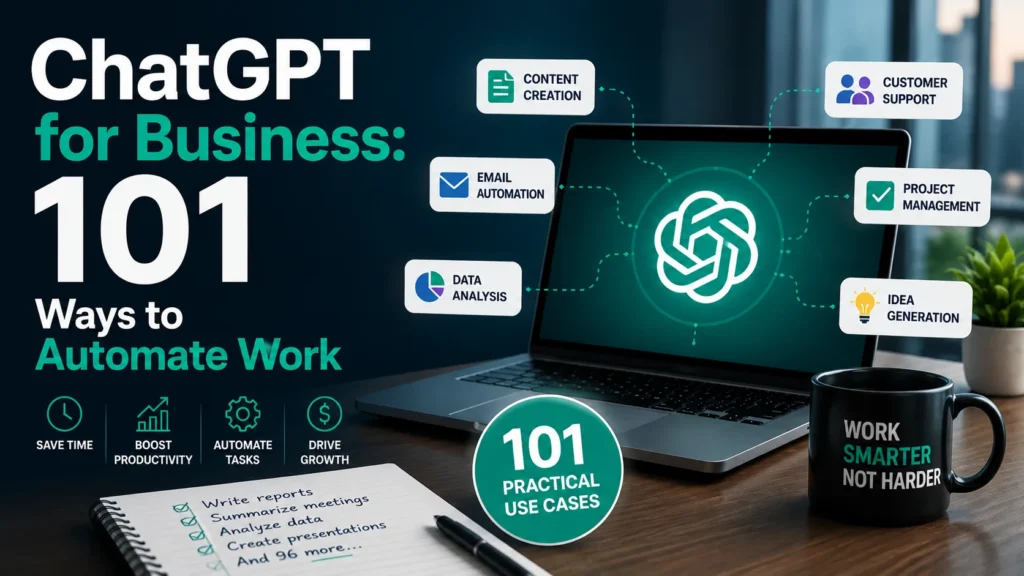
Introduction: The AI-Powered Business Revolution
The business landscape is experiencing a seismic shift. By 2026, adopting AI productivity tools is no longer a competitive advantage—it is a baseline requirement for survival. Yet, many small business owners, entrepreneurs, and managers still face debilitating productivity challenges: drowning in repetitive tasks, struggling to scale content, and losing hours to manual workflows.
Enter ChatGPT for business.
ChatGPT has evolved from a simple chatbot into a sophisticated business automation engine. When leveraged correctly, it solves common business problems by eradicating bottlenecks, synthesizing data instantly, and executing routine tasks in seconds.
In this definitive guide, you will discover exactly how to implement business automation with ChatGPT. We will explore 101 practical use cases, step-by-step ChatGPT workflow examples, a library of high-converting ChatGPT prompts for business, and the exact strategies you need to save hundreds of hours a year.
Whether you are a solopreneur, a growing startup, or an operations manager at a mid-sized company, this guide will transform how you work.
Want to skip the reading and start implementing? Download our 500 ChatGPT Prompts PDF to automate your business today!
What is ChatGPT for Business?
ChatGPT for business refers to the strategic application of OpenAI’s large language models (specifically GPT-4 and beyond) to execute, automate, and optimize daily business operations. It goes far beyond asking a chatbot simple questions. It involves integrating AI into your core workflows via the ChatGPT web interface, API, or custom GPTs.
Key Capabilities
- Natural Language Processing: Understands and generates human-like text for emails, reports, and chat.
- Data Analysis: Processes spreadsheets, identifies trends, and creates data visualizations (Advanced Data Analysis).
- Contextual Learning: Custom GPTs can be trained on your company’s proprietary data, brand voice, and SOPs.
- Multimodal Functionality: Processes images, voice, and text (e.g., scanning a whiteboard of notes and turning it into a project plan).
- API Integration: Connects to tools like Zapier to trigger actions across your tech stack (AI workflow automation).
Real-World Applications
From a ChatGPT for small business owner generating weekly social media content, to a marketing agency building Custom GPTs to write client SEO briefs, the applications are endless. Businesses use it to write code, draft legal templates, summarize 50-page reports, and qualify leads.
Limitations to Keep in Mind
- Hallucinations: ChatGPT can confidently state falsehoods. It requires human verification.
- Data Privacy: Inputting sensitive client data into the free tier is a security risk. Always use Enterprise/Team plans or opt-out of training.
- Lack of Real-Time Execution: ChatGPT generates text and code, but it doesn’t “push the button” unless integrated via API tools like Zapier.
Benefits of Using ChatGPT in Business
Implementing ChatGPT productivity strategies yields measurable ROI across your organization.
1. Time Savings
The average knowledge worker spends 28% of their workweek managing email and gathering information. ChatGPT turns a 2-hour report-drafting task into a 10-minute editing task.
2. Cost Reduction
ChatGPT for small business eliminates the need to hire junior freelancers for initial content drafts, basic coding, or data entry. You can achieve the output of a 5-person team with a 2-person team augmented by AI.
3. Productivity Improvement
By offloading cognitive drudgery to ChatGPT, your team focuses on high-leverage activities: strategy, relationship building, and creative problem-solving.
4. Better Decision-Making
Stuck on a strategic pivot? ChatGPT can act as a sounding board, running a “Pre-mortem” analysis or generating a SWOT analysis based on market data in seconds, allowing you to see blind spots faster.
5. Scalability
Scaling a business usually requires linear increases in headcount. With AI workflow automation, you can scale content production, customer support, and lead generation exponentially without proportionally increasing headcount.
101 Practical Ways Businesses Use ChatGPT
Here are 101 ChatGPT business use cases, broken down by department, complete with workflows and prompt examples.
Marketing (15 Examples)
1. SEO Blog Outlines
- Problem: Blank page syndrome slows down content creation.
- Solution: Generate structured SEO outlines instantly.
- Workflow: Target keyword -> ChatGPT -> Outline -> Writer.
- Prompt: “Create an SEO-optimized blog post outline for the keyword ‘ChatGPT for small business’. Include H1, H2, H3 tags, and suggest meta descriptions.”
- Result: A ready-to-write framework saving 30 minutes per post.
2. Social Media Repurposing
- Problem: Creating unique content for every platform is tedious.
- Solution: Turn one long-form asset into multiple micro-assets.
- Workflow: Blog URL -> ChatGPT -> 3 Tweets + 1 LinkedIn post + 1 IG caption.
- Prompt: “Turn this blog post summary into 3 engaging Twitter threads, 1 professional LinkedIn post, and 1 Instagram caption with emojis. [Insert Summary]”
- Result: A week’s worth of social content generated in 2 minutes.
3. Email Newsletter Drafting
- Problem: Writers spend too much time finding the right tone for newsletters.
- Solution: Use AI to draft brand-consistent newsletters.
- Workflow: Bullet points -> ChatGPT -> Formatted newsletter -> Review.
- Prompt: “Write a weekly email newsletter for our SaaS startup. Tone: Conversational, witty, no corporate jargon. Include these 3 updates: [Insert points].”
- Result: A polished newsletter draft ready in seconds.
4. Ad Copy Variations
- Problem: A/B testing requires multiple copy variations.
- Solution: Generate 10 variations of Facebook or Google ad copy.
- Workflow: Product details -> ChatGPT -> 10 Ad variants -> Launch tests.
- Prompt: “Write 5 short-form Facebook ad copies and 5 Google search ad copies for our new productivity app. Focus on the benefit of ‘saving 10 hours a week’.”
- Result: Rapid A/B testing capabilities.
5. Competitor Analysis
- Problem: Analyzing competitor messaging takes hours of manual review.
- Solution: Synthesize competitor website copy into actionable insights.
- Workflow: Competitor homepages pasted -> ChatGPT -> Positioning analysis.
- Prompt: “Analyze the following text from 3 competitor websites. Identify their core value propositions, pricing models, and messaging angles. [Insert Text]”
- Result: A clear snapshot of the competitive landscape.
6. Press Release Writing
- Problem: Strict formatting rules make press releases slow to write.
- Solution: Auto-format PRs following industry standards.
- Workflow: Launch details -> ChatGPT -> PR draft -> PR distribution.
- Prompt: “Write a standard press release for the launch of our new eco-friendly water bottle, detailing the new proprietary filter technology.”
- Result: A professionally formatted PR in one click.
7. Influencer Outreach Emails
- Problem: Generic outreach emails get ignored.
- Solution: Hyper-personalize outreach at scale.
- Workflow: Influencer name/topic -> ChatGPT -> Personalized email.
- Prompt: “Write a short, friendly outreach email to a tech YouTuber named Alex, complimenting his recent video on AI tools, and asking if he’d review our new software.”
- Result: Higher response rates from influencers.
8. Content Calendar Generation
- Problem: Planning a month of content is overwhelming.
- Solution: Generate a structured content calendar instantly.
- Workflow: Month/Theme -> ChatGPT -> 30-day calendar -> Trello.
- Prompt: “Create a 30-day content calendar for a B2B marketing agency for June. Focus on AI productivity. Include blog topics, social posts, and email subjects.”
- Result: A strategic roadmap for the month.
9. Video Script Outlining
- Problem: Scriptwriting can be a bottleneck for video production.
- Solution: Generate engaging hooks and structured outlines.
- Workflow: Video topic -> ChatGPT -> YouTube script outline -> Record.
- Prompt: “Write a YouTube video script outline for ‘How to Automate Your Business with ChatGPT’. Include a 15-second hook, main talking points, and a CTA.”
- Result: A clear blueprint for video shoots.
10. Case Study Drafting
- Problem: Formatting client results into a compelling story is difficult.
- Solution: Transform raw data into a polished case study.
- Workflow: Client metrics -> ChatGPT -> Case study draft -> Design.
- Prompt: “Turn these raw metrics (50% increase in leads, 10 hours saved/week) into a 500-word B2B case study following the Problem-Solution-Result framework.”
- Result: A powerful sales enablement asset.
11. Landing Page Copy
- Problem: Writing high-converting landing page copy requires specialized skills.
- Solution: Generate copy using proven copywriting frameworks.
- Workflow: Product details -> ChatGPT -> PAS framework copy -> Web builder.
- Prompt: “Write landing page copy for a new AI scheduling tool using the Problem-Agitate-Solution (PAS) framework. Include a headline, subheadline, 3 benefit bullets, and a CTA.”
- Result: Conversion-optimized web copy.
12. Persona Development
- Problem: Marketing teams lack clarity on who they are targeting.
- Solution: Build deeply researched buyer personas.
- Workflow: Product type -> ChatGPT -> 3 Detailed personas -> Strategy doc.
- Prompt: “Create 3 detailed buyer personas for a B2B cybersecurity software. Include their job titles, daily frustrations, KPIs, and where they consume information.”
- Result: Laser-focused targeting parameters.
13. Review Response Drafts
- Problem: Replying to dozens of Google or Yelp reviews is time-consuming.
- Solution: Auto-generate polite, brand-safe responses.
- Workflow: Review text -> ChatGPT -> Polite response -> Post.
- Prompt: “Write a polite and professional response to this negative Google review about slow service. Apologize, explain we are hiring more staff, and offer a 20% discount on their next visit.”
- Result: Protected brand reputation with zero effort.
14. SMS Campaign Copy
- Problem: SMS requires extreme brevity and compliance.
- Solution: Generate compliant, punchy SMS copy.
- Workflow: Promo details -> ChatGPT -> 160-char texts -> SMS platform.
- Prompt: “Write 3 variations of a promotional SMS for a flash sale on running shoes. Must be under 160 characters, include a sense of urgency, and a link placeholder.”
- Result: High-converting SMS blasts.
15. Grammar and Tone Polishing
- Problem: Outbound marketing materials sound disjointed.
- Solution: Unify the brand voice across all assets.
- Workflow: Final draft -> ChatGPT -> Tone-adjusted polish -> Publish.
- Prompt: “Review the following marketing email. Rewrite it to sound more confident, concise, and punchy. Remove passive voice. [Insert Email]”
- Result: Crisp, professional marketing copy.
Sales (15 Examples)
16. Cold Email First Lines
- Problem: “I hope this finds you well” gets deleted instantly.
- Solution: Generate hyper-personalized icebreakers.
- Workflow: Prospect LinkedIn bio -> ChatGPT -> Custom first line.
- Prompt: “Read this LinkedIn summary and write a casual, flattering first line for a cold email that mentions a specific achievement. [Insert Summary]”
- Result: Higher open and reply rates.
17. Sales Call Prep
- Problem: Reps go into calls blind, lacking context.
- Solution: Summarize prospect data into call briefs.
- Workflow: Company website URL -> ChatGPT -> Call prep brief.
- Prompt: “Analyze this company’s ‘About Us’ page and provide a 3-bullet summary of their business model, their likely pain points regarding data management, and 2 discovery questions to ask.”
- Result: Confident, prepared sales reps.
18. Objection Handling Scripts
- Problem: Reps stumble when hit with unexpected objections.
- Solution: Create a dynamic objection-handling playbook.
- Workflow: Common objections -> ChatGPT -> Rebuttal scripts -> Training.
- Prompt: “Give me 3 effective ways to respond to the sales objection ‘It’s too expensive right now’ for a premium marketing software. Use the ‘Reframe Value’ technique.”
- Result: A trained, resilient sales team.
19. LinkedIn Connection Requests
- Problem: Default connection requests are ignored.
- Solution: Write brief, compelling outreach notes.
- Workflow: Prospect profile details -> ChatGPT -> Connection note.
- Prompt: “Write a 50-character LinkedIn connection request note to a VP of Sales, mentioning our shared interest in AI workflow automation.”
- Result: A growing network of warm prospects.
20. Proposal Drafting
- Problem: Proposals take hours to format and write from scratch.
- Solution: Auto-generate proposals based on call notes.
- Workflow: Call transcript -> ChatGPT -> Proposal draft -> Send.
- Prompt: “Turn these call notes into a 3-page business proposal. Include an Executive Summary, Scope of Work, and Pricing section. [Insert Notes]”
- Result: Turnaround time for proposals cut by 80%.
21. Follow-Up Sequences
- Problem: Reps give up after one email.
- Solution: Build a 5-step automated follow-up sequence.
- Workflow: Product details -> ChatGPT -> 5-email sequence -> CRM.
- Prompt: “Write a 5-email follow-up sequence for a prospect who downloaded our ebook but hasn’t booked a demo. Space emails 3 days apart. Email 5 should be the ‘breakup’ email.”
- Result: Consistent pipeline nurturing.
22. Cold Calling Scripts
- Problem: Calls sound robotic and scripted.
- Solution: Create natural, conversational call frameworks.
- Workflow: Value prop -> ChatGPT -> Conversational script -> Calls.
- Prompt: “Write a 30-second cold calling script for a logistics software. Focus on lowering shipping costs. Use a conversational tone, not a salesy one.”
- Result: Better call-to-conversation ratios.
23. Competitor Battlecards
- Problem: Sales teams don’t know how to position against rivals.
- Solution: Generate detailed battlecards.
- Workflow: Your features vs. Rival features -> ChatGPT -> Battlecard.
- Prompt: “Create a competitor battlecard comparing our tool (Tool A) to Tool B. Highlight our superior integrations and faster onboarding time. Include traps to set for the competitor.”
- Result: Armed and dangerous sales reps.
24. RFP Responses
- Problem: Answering 100-question RFPs is a massive time drain.
- Solution: Auto-draft responses based on company knowledge.
- Workflow: RFP questions -> ChatGPT -> Drafted responses -> Legal review.
- Prompt: “Answer this RFP question regarding our data security protocols. Emphasize our SOC2 compliance and 256-bit encryption. [Insert Question]”
- Result: RFP completion time cut in half.
25. Post-Call Summary Emails
- Problem: Reps forget to send follow-ups, or they lack detail.
- Solution: Instantly generate recaps from notes.
- Workflow: Messy call notes -> ChatGPT -> Professional recap -> Send.
- Prompt: “Turn these messy notes into a professional post-meeting summary email. Highlight the 3 agreed-upon action items and next steps. [Insert Notes]”
- Result: Clear communication and accountability.
26. Lead Qualification Questions
- Problem: Wasting time on unqualified prospects.
- Solution: Generate BANT or MEDDIC question frameworks.
- Workflow: ICP details -> ChatGPT -> Qualification questions -> CRM.
- Prompt: “Generate 10 BANT (Budget, Authority, Need, Timeline) questions to qualify a lead who is interested in our enterprise HR software.”
- Result: A tighter, more qualified pipeline.
27. Deal Analysis
- Problem: Stuck deals are hard to diagnose.
- Solution: Use AI to identify missing information.
- Workflow: Deal context -> ChatGPT -> Gap analysis -> Strategy.
- Prompt: “I have a deal stuck in the proposal stage for 3 weeks. The champion went quiet. Based on this context, what are 3 possible reasons and how should I proceed? [Insert Context]”
- Result: Saved deals and revenue.
28. Pricing Tiers Strategy
- Problem: Structuring pricing is complex and confusing.
- Solution: Brainstorm tiered pricing models.
- Workflow: Costs and margins -> ChatGPT -> Pricing model -> Finance.
- Prompt: “Suggest a 3-tier SaaS pricing model (Good, Better, Best) for a project management tool. The lowest tier must act as a lead magnet.”
- Result: Optimized revenue architecture.
29. Account Mapping Strategies
- Problem: Expanding accounts lacks direction.
- Solution: Brainstorm cross-sell/upsell angles.
- Workflow: Current product usage -> ChatGPT -> Upsell pitch -> Call.
- Prompt: “A client is currently using our basic analytics package. Brainstorm 3 arguments for why they should upgrade to the advanced predictive analytics tier.”
- Result: Increased customer lifetime value (LTV).
30. Sales Email A/B Testing
- Problem: Not knowing which subject lines work.
- Solution: Generate high-variance test subjects.
- Workflow: Email body -> ChatGPT -> 5 Subject lines -> Test.
- Prompt: “Generate 5 highly distinct subject lines for an email offering a free AI audit. Ranging from question-based to benefit-driven to curiosity-inducing.”
- Result: Continuous improvement in open rates.
Customer Support (15 Examples)
31. Canned Response Templates
- Problem: Agents type the same answers repeatedly.
- Solution: Build a library of macro templates.
- Workflow: FAQ list -> ChatGPT -> Formatted macros -> Zendesk.
- Prompt: “Write a polite, empathetic canned response for a customer asking about our refund policy. Our policy allows returns within 30 days with a receipt.”
- Result: Faster ticket resolution times.
32. Ticket Summarization
- Problem: Long, threaded tickets are hard for new agents to parse.
- Solution: Summarize 50-message threads into 3 bullets.
- Workflow: Ticket thread -> ChatGPT -> TL;DR -> Agent view.
- Prompt: “Summarize this customer support thread into 3 bullet points: 1) Customer’s issue, 2) Steps already taken, 3) Current status. [Insert Thread]”
- Result: Reduced agent onboarding time per ticket.
33. Knowledge Base Articles
- Problem: Creating help documentation is a chore.
- Solution: Generate step-by-step help articles from feature notes.
- Workflow: Feature update notes -> ChatGPT -> Help article -> Publish.
- Prompt: “Write a step-by-step knowledge base article on how to reset a password in our app. Use clear headings and numbered lists for non-technical users.”
- Result: A robust, self-serve help center.
34. Anger De-escalation Responses
- Problem: Dealing with furious customers is draining and risks brand damage.
- Solution: Draft responses that absorb the anger and provide a path forward.
- Workflow: Angry email -> ChatGPT -> Empathetic response -> Send.
- Prompt: “Rewrite this response to an angry customer to be deeply empathetic, de-escalating, and professional. Do not admit fault, but promise to investigate immediately. [Insert Email]”
- Result: Saved customer relationships.
35. Bug Report Formatting
- Problem: Customers submit vague bug reports (“It doesn’t work”).
- Solution: Auto-format vague complaints into standard QA formats.
- Workflow: Vague complaint -> ChatGPT -> QA format -> Engineering.
- Prompt: “Turn this vague customer complaint into a standard bug report format: Expected Behavior, Actual Behavior, Device/Browser, and Steps to Reproduce. [Insert Complaint]”
- Result: Faster engineering turnaround on bugs.
36. Chatbot Scripting
- Problem: Rule-based chatbots are frustrating and rigid.
- Solution: Script decision-tree logic for AI bots.
- Workflow: Support flows -> ChatGPT -> Bot scripts -> Intercom.
- Prompt: “Create a conversational decision-tree script for an e-commerce chatbot handling ‘Where is my order?’ queries, asking for order number and checking status.”
- Result: Higher chatbot resolution rates.
37. Multilingual Support
- Problem: Hiring native speakers for every market is expensive.
- Solution: Translate and localize support replies instantly.
- Workflow: English response -> ChatGPT -> Spanish/French/German -> Send.
- Prompt: “Translate this support email into professional, native-sounding Spanish. Ensure the polite tone is maintained. [Insert Email]”
- Result: Global customer satisfaction.
38. Product Update Announcements
- Problem: Communicating updates without confusing users.
- Solution: Draft clear, benefit-driven update emails.
- Workflow: Changelog -> ChatGPT -> User-friendly email -> Send.
- Prompt: “Turn this technical changelog into an exciting, easy-to-understand email announcing our new feature to existing users. [Insert Changelog]”
- Result: Higher feature adoption rates.
39. Refund Request Processing
- Problem: Handling refunds manually is slow.
- Solution: Draft compliant, friendly refund confirmations.
- Workflow: Refund approved -> ChatGPT -> Confirmation email -> CRM.
- Prompt: “Write a friendly email confirming that a refund of $50 has been processed for order #12345. Let them know it will take 3-5 business days to appear.”
- Result: Efficient financial communication.
40. Customer Feedback Surveys
- Problem: No one fills out boring surveys.
- Solution: Generate concise, high-converting survey questions.
- Workflow: Product area -> ChatGPT -> 5-question survey -> Typeform.
- Prompt: “Create a 5-question customer satisfaction survey (mix of multiple choice and 1-10 scale) regarding our recent checkout process update.”
- Result: Higher survey response rates.
41. Escalation Notes
- Problem: Handoffs to Tier 2 support lose context.
- Solution: Summarize tickets for seamless escalation.
- Workflow: Full ticket -> ChatGPT -> Escalation brief -> Tier 2.
- Prompt: “Write a brief escalation note for a Tier 2 technician regarding a customer’s API integration failure. Include the endpoint, error code 403, and troubleshooting steps already tried.”
- Result: Faster Tier 2 resolution.
42. Policy Explainers
- Problem: Legal jargon confuses customers.
- Solution: Translate legalese into plain English.
- Workflow: TOS clause -> ChatGPT -> Plain English -> Support script.
- Prompt: “Explain this section of our Terms of Service regarding data privacy in simple, plain English so a customer can understand it. [Insert Clause]”
- Result: Reduced friction and trust building.
43. Onboarding Welcome Emails
- Problem: New users churn because they don’t know how to use the product.
- Solution: Create an engaging onboarding sequence.
- Workflow: Product quick-start guide -> ChatGPT -> 3-email sequence -> CRM.
- Prompt: “Write a 3-part onboarding email sequence for a new user of our fitness app. Email 1: Welcome and setup. Email 2: First workout. Email 3: Community features.”
- Result: Lower Day-1 churn rates.
44. Service Outage Updates
- Problem: Keeping customers updated during outages is chaotic.
- Solution: Draft transparent, calm status updates.
- Workflow: Engineering status -> ChatGPT -> Public update -> Status page.
- Prompt: “Write a status page update acknowledging a server outage affecting the Eastern US region. State that the team is investigating, apologize, and promise an update in 30 mins.”
- Result: Controlled PR during a crisis.
45. Win-Back Campaigns
- Problem: Churned users are forgotten.
- Solution: Generate compelling win-back offers.
- Workflow: Churned user data -> ChatGPT -> Win-back email -> Send.
- Prompt: “Write a win-back email to a subscriber who canceled 3 months ago due to price. Offer them a 30% discount for the next 3 months if they reactivate today.”
- Result: Recovered revenue.
Operations (15 Examples)
46. SOP Creation
- Problem: Standard Operating Procedures are outdated or don’t exist.
- Solution: Document processes instantly from rough notes.
- Workflow: Loom video transcript -> ChatGPT -> SOP -> Wiki.
- Prompt: “Turn these rough notes into a formal Standard Operating Procedure (SOP) with step-by-step instructions, required tools, and expected outcomes. [Insert Notes]”
- Result: A fully documented operational wiki.
47. Vendor Comparison
- Problem: Choosing between vendors requires synthesizing massive proposals.
- Solution: Create standardized comparison matrices.
- Workflow: Vendor proposals -> ChatGPT -> Pros/Cons table -> Decision.
- Prompt: “Compare these 3 CRM vendors based on pricing, key features, and implementation time. Put the results in a markdown table. [Insert Summaries]”
- Result: Data-driven vendor selection.
48. Meeting Agendas
- Problem: Meetings drift off-topic without structure.
- Solution: Generate focused, time-boxed agendas.
- Workflow: Meeting topic -> ChatGPT -> Agenda -> Calendar invite.
- Prompt: “Create a 45-minute meeting agenda for a cross-functional sync between Marketing and Product. Include 5 mins for intros, 20 mins for Q3 roadmap, 15 mins for blockers, 5 mins for action items.”
- Result: Efficient, purposeful meetings.
49. Internal Memos
- Problem: Communicating policy changes company-wide is clunky.
- Solution: Draft clear, unambiguous internal memos.
- Workflow: Policy change -> ChatGPT -> Company memo -> Slack/Email.
- Prompt: “Write an internal memo announcing that starting next month, Fridays will be work-from-home days. Keep the tone positive, professional, and clear.”
- Result: Smooth organizational changes.
50. Data Entry Formatting
- Problem: Messy spreadsheets with inconsistent formatting.
- Solution: Use Advanced Data Analysis to clean data instantly.
- Workflow: CSV upload -> ChatGPT -> Clean/Format -> Download CSV.
- Prompt: “Standardize this list of phone numbers to the (XXX) XXX-XXXX format and capitalize the first letter of all names in this dataset.”
- Result: Hours of manual data entry saved.
51. Logistics Route Summaries
- Problem: Complex supply chain routes are hard to summarize.
- Solution: Simplify logistics data into readable briefs.
- Workflow: Raw routing data -> ChatGPT -> Summary -> Ops Manager.
- Prompt: “Summarize this shipment routing data. Highlight any delays at port and the estimated new arrival time. [Insert Data]”
- Result: Proactive supply chain management.
52. Inventory Order Suggestions
- Problem: Overstocking or stockouts hurt cash flow.
- Solution: Analyze past sales data to suggest orders.
- Workflow: Monthly sales CSV -> ChatGPT -> Reorder list -> Procurement.
- Prompt: “Based on this 3-month sales history, list the top 5 SKUs that are likely to run out of stock within the next 2 weeks and suggest a reorder quantity.”
- Result: Optimized inventory levels.
53. Process Improvement Brainstorming
- Problem: “We’ve always done it this way” syndrome.
- Solution: Use AI to identify bottlenecks and suggest lean methods.
- Workflow: Current process steps -> ChatGPT -> Bottleneck analysis.
- Prompt: “Here is our current employee onboarding process. Identify the top 3 bottlenecks and suggest lean improvements to speed up time-to-productivity. [Insert Steps]”
- Result: Continuous operational improvement.
54. Facility Request Triage
- Problem: Office managers are overwhelmed by random requests.
- Solution: Categorize and prioritize requests automatically.
- Workflow: Request text -> ChatGPT -> Priority/Category tag -> Ticket.
- Prompt: “Read this facility request and categorize it as ‘HVAC’, ‘IT’, or ‘Cleaning’, then assign a priority level (High, Medium, Low) based on urgency. ‘The server room is freezing and the computers are lagging.'”
- Result: Automated triage system.
55. Email Inbox Triage
- Problem: Executives drown in inbox clutter.
- Solution: Summarize and categorize an inbox dump.
- Workflow: 50 email subjects -> ChatGPT -> Priority categorization.
- Prompt: “Categorize these 20 email subject lines into ‘Urgent/Action Required’, ‘FYI’, and ‘Newsletter/Spam’. [Insert Subjects]”
- Result: Zero inbox anxiety.
56. Travel Itinerary Planning
- Problem: Booking business travel is a time sink.
- Solution: Generate minute-by-minute travel schedules.
- Workflow: Flight/Hotel info -> ChatGPT -> Calendar itinerary.
- Prompt: “Create a detailed travel itinerary for my trip to London. Flight arrives at 8 AM, meeting at 11 AM, flight departs at 7 PM. Add time for lunch and travel buffers.”
- Result: Stress-free business travel.
57. Business Continuity Planning
- Problem: Unprepared for sudden disruptions.
- Solution: Draft basic BCP frameworks.
- Workflow: Business type -> ChatGPT -> BCP outline -> Strategy review.
- Prompt: “Outline a Business Continuity Plan for a mid-sized digital agency, covering scenarios like cloud outages and key employee departures.”
- Result: Organizational resilience.
58. Compliance Checklist Generation
- Problem: Keeping up with industry regulations is daunting.
- Solution: Generate actionable compliance checklists.
- Workflow: Regulation name -> ChatGPT -> Checklist -> Audit.
- Prompt: “Generate a 10-point compliance checklist for a healthcare app handling patient data under HIPAA regulations.”
- Result: Reduced legal risk.
59. Inter-departmental Handoffs
- Problem: Balls get dropped when work moves from Sales to CS.
- Solution: Standardize handoff documents.
- Workflow: Account details -> ChatGPT -> Handoff doc -> CRM.
- Prompt: “Create a client handoff document template from Sales to Customer Success, capturing company goals, key stakeholders, and potential risks.”
- Result: Seamless client transitions.
60. Office Event Planning
- Problem: Planning team-building events takes too much admin time.
- Solution: Brainstorm and structure events quickly.
- Workflow: Budget/Team size -> ChatGPT -> Event plan -> Approve.
- Prompt: “Plan a 3-hour team-building event for 20 remote employees with a $500 budget. Suggest virtual activities, a schedule, and catering delivery options.”
- Result: Happy teams, zero admin headaches.
Human Resources (10 Examples)
61. Job Description Writing
- Problem: JDs are biased or unappealing.
- Solution: Write inclusive, engaging job postings.
- Workflow: Role requirements -> ChatGPT -> JD -> ATS.
- Prompt: “Write an engaging, inclusive job description for a Senior Frontend Developer. Emphasize our remote-first culture and emphasize impact over years of experience.”
- Result: Higher quality applicant pools.
62. Interview Question Generation
- Problem: Interview questions don’t accurately test for required skills.
- Solution: Create behavioral and technical questions mapped to competencies.
- Workflow: Job competencies -> ChatGPT -> Interview guide -> Hiring team.
- Prompt: “Generate 5 behavioral interview questions to assess a candidate’s ‘Conflict Resolution’ and ‘Adaptability’ skills for a Project Manager role.”
- Result: Better hiring decisions.
63. Employee Handbook Drafting
- Problem: Handbooks are dense and ignored by employees.
- Solution: Draft readable, friendly handbook sections.
- Workflow: Policy list -> ChatGPT -> Handbook chapter -> Legal review.
- Prompt: “Draft the ‘Remote Work Policy’ section for our employee handbook. Include expectations for availability, workspace requirements, and cybersecurity protocols. Keep the tone supportive.”
- Result: Clear employee expectations.
64. Onboarding Plan Creation
- Problem: New hires feel lost in their first 90 days.
- Solution: Generate structured 30-60-90 day onboarding plans.
- Workflow: Job title -> ChatGPT -> 30/60/90 plan -> HRIS.
- Prompt: “Create a 30-60-90 day onboarding plan for a new Marketing Coordinator, outlining learning goals, tasks, and milestones for each phase.”
- Result: Faster time-to-productivity.
65. Performance Review Phrasing
- Problem: Managers struggle to articulate constructive feedback professionally.
- Solution: Transform rough notes into constructive, HR-safe feedback.
- Workflow: Rough feedback -> ChatGPT -> Professional phrasing -> Review.
- Prompt: “Rewrite this feedback to be constructive and professional: ‘John is always late and his code is buggy.’ Use the SBI (Situation-Behavior-Impact) model.”
- Result: Less awkward, more effective reviews.
66. Benefits Explanation
- Problem: Employees don’t understand their 401k or health plans.
- Solution: Simplify complex benefits jargon.
- Workflow: Provider document -> ChatGPT -> Plain English FAQ -> Intranet.
- Prompt: “Explain the difference between a PPO and HDHP health plan in simple terms, using an analogy, to help our employees choose during open enrollment.”
- Result: Empowered employee decisions.
67. Diversity and Inition Initiatives
- Problem: D&I efforts feel performative without structured ideas.
- Solution: Brainstorm actionable, meaningful D&I programs.
- Workflow: Company size/goals -> ChatGPT -> Initiative list -> Committee.
- Prompt: “Suggest 5 actionable Diversity and Inclusion initiatives for a tech startup with 50 employees that go beyond basic unconscious bias training.”
- Result: A healthier company culture.
68. Employee Recognition Scripts
- Problem: Managers forget to recognize effort, or it sounds generic.
- Solution: Generate personalized recognition messages.
- Workflow: Employee achievement -> ChatGPT -> Slack shoutout -> Send.
- Prompt: “Write a warm, enthusiastic Slack shoutout for Sarah, who worked over the weekend to fix a critical bug in the payment gateway. Use emojis.”
- Result: Boosted team morale.
69. Offer Letter Drafting
- Problem: Legal and HR need to coordinate to draft offer letters.
- Solution: Auto-generate standard compliant offer letters.
- Workflow: Offer details -> ChatGPT -> Offer letter -> E-signature.
- Prompt: “Draft a formal offer letter for a Sales Director role. Salary: $120k, Commission: OTE $50k, Start date: March 1st. Include standard contingencies. [Insert Company Name]”
- Result: Faster hiring closures.
70. Exit Interview Questions
- Problem: Exit interviews fail to uncover root causes of attrition.
- Solution: Generate deep-dive, safe-space exit questions.
- Workflow: Department/Role -> ChatGPT -> Exit interview guide -> HR.
- Prompt: “Provide 10 deep-dive exit interview questions to ask a departing software engineer. Focus on management style, tooling, and career growth without making them feel defensive.”
- Result: Actionable retention data.
Finance (10 Examples)
71. Expense Categorization
- Problem: Hundreds of uncategorized credit card transactions.
- Solution: Auto-categorize transaction lists.
- Workflow: CSV of expenses -> ChatGPT -> Categorized CSV -> Accounting.
- Prompt: “Categorize this list of expenses into the following categories: Travel, Software, Meals, Office Supplies. [Insert List]”
- Result: Hours of bookkeeping saved.
72. Quarterly Report Summarization
- Problem: Sifting through 40 pages of financials to find the narrative.
- Solution: Extract key metrics and write an executive summary.
- Workflow: 10-Q report -> ChatGPT -> Executive summary -> Board.
- Prompt: “Read this quarterly financial summary and provide a 3-paragraph executive summary highlighting revenue growth, net income, and any cash flow concerns. [Insert Text]”
- Result: Instant financial clarity.
73. Invoice Drafting
- Problem: Creating manual invoices for bespoke services.
- Solution: Generate professional invoice text/templates.
- Workflow: Service details -> ChatGPT -> Invoice format -> Billing.
- Prompt: “Draft an invoice template for 50 hours of consulting at $150/hr, plus a $200 software fee. Include payment terms of Net 30 and a 2% late fee.”
- Result: Faster billing cycles.
74. Budget vs. Actuals Analysis
- Problem: Spotting anomalies in spreadsheets manually.
- Solution: Identify variances and explain potential causes.
- Workflow: Budget/Actuals data -> ChatGPT -> Variance analysis -> Review.
- Prompt: “Compare these Q2 budget vs. actuals. Identify the top 3 categories with the largest negative variances and suggest potential reasons why. [Insert Data]”
- Result: Proactive financial management.
75. Financial Modeling Formulas
- Problem: Excel formulas for DCF or CAGR are forgotten.
- Solution: Instantly generate complex spreadsheet formulas.
- Workflow: Desired calculation -> ChatGPT -> Excel formula -> Spreadsheet.
- Prompt: “Write an Excel formula to calculate the Compound Annual Growth Rate (CAGR) given a starting value in cell A1, an ending value in cell B1, and a period of 3 years in C1.”
- Result: Error-free financial modeling.
76. Tax Deduction Brainstorming
- Problem: Small businesses miss out on legitimate write-offs.
- Solution: Generate a comprehensive list of common deductions by industry.
- Workflow: Industry type -> ChatGPT -> Deduction list -> CPA review.
- Prompt: “List the top 15 commonly overlooked tax deductions for a freelance graphic designer operating as an LLC in the US.”
- Result: Maximized tax savings.
77. Cash Flow Forecasting Narrative
- Problem: Spreadsheets are hard for non-finance teams to understand.
- Solution: Turn forecast data into a readable narrative.
- Workflow: Forecast data -> ChatGPT -> Plain English report -> Team.
- Prompt: “Turn this 6-month cash flow forecast into a 1-page plain-English narrative for the founders, highlighting the ‘cash crunch’ expected in Month 4. [Insert Data]”
- Result: Aligned financial decision-making.
78. Investor Update Drafts
- Problem: Founders procrastinate on investor updates.
- Solution: Auto-draft updates using the standard format.
- Workflow: Metrics -> ChatGPT -> Investor email -> Send.
- Prompt: “Write a monthly investor update email using the standard format: Highlights, Lowlights, Asks, Key Metrics (MRR, Churn, Burn Rate). [Insert Details]”
- Result: Happy, informed investors.
79. Payment Reminder Emails
- Problem: Chasing overdue invoices is uncomfortable.
- Solution: Write firm but polite follow-ups.
- Workflow: Invoice status -> ChatGPT -> Reminder email -> Send.
- Prompt: “Write a polite but firm email to a client whose invoice #998 is 15 days overdue. The amount is $4,500. Include a link to pay and mention a late fee will be applied in 5 days.”
- Result: Improved accounts receivable turnover.
80. Vendor Negotiation Scripts
- Problem: Overpaying for software and services.
- Solution: Generate negotiation frameworks and talk tracks.
- Workflow: Vendor pricing -> ChatGPT -> Negotiation email -> Send.
- Prompt: “Write an email to a SaaS vendor asking for a 20% discount on an annual plan. Mention we are a startup and are evaluating a competitor who offered a better rate.”
- Result: Lower operating expenses.
Project Management (10 Examples)
81. Project Charters
- Problem: Projects start without clear scope or goals.
- Solution: Auto-generate comprehensive charters.
- Workflow: High-level idea -> ChatGPT -> Charter -> Stakeholder approval.
- Prompt: “Create a project charter for a website redesign. Include objectives, scope, out-of-scope items, key stakeholders, and a rough 4-phase timeline.”
- Result: Aligned stakeholder expectations.
82. Risk Assessment Matrix
- Problem: Unforeseen risks derail projects.
- Solution: Brainstorm risks and score them.
- Workflow: Project details -> ChatGPT -> Risk matrix -> Planning.
- Prompt: “Identify 5 potential risks for migrating a database to the cloud. Score each risk on Probability (1-5) and Impact (1-5) and suggest a mitigation strategy for the highest scoring risk.”
- Result: Proactive risk mitigation.
83. Sprint Planning
- Problem: Breaking large epics into actionable tickets is tedious.
- Solution: Decompose features into user stories.
- Workflow: Feature description -> ChatGPT -> User stories -> Jira.
- Prompt: “Break down the epic ‘User Authentication’ into 5 detailed agile user stories. Include Acceptance Criteria for each story.”
- Result: Ready-to-build sprint backlogs.
84. Status Report Generation
- Problem: PMs spend hours formatting weekly status updates.
- Solution: Turn messy notes into standardized RAG reports.
- Workflow: Weekly notes -> ChatGPT -> RAG report -> Stakeholders.
- Prompt: “Turn these project notes into a Red/Amber/Green status report. Include: Overall Status, Key Accomplishments, Upcoming Milestones, and Blockers. [Insert Notes]”
- Result: Concise, consistent reporting.
85. Retrospective Summarization
- Problem: Actionable items from retros get lost.
- Solution: Synthesize retro notes into grouped themes and action items.
- Workflow: Retro Miro board text -> ChatGPT -> Summary -> Confluence.
- Prompt: “Summarize these retrospective notes. Group them into ‘What went well’, ‘What needs improvement’, and ‘Action items for next sprint’. [Insert Notes]”
- Result: Continuous team improvement.
86. Resource Allocation Suggestions
- Problem: Uneven workloads across the team.
- Solution: Analyze task lists and suggest balanced assignments.
- Workflow: Task list + Team skills -> ChatGPT -> Allocation plan.
- Prompt: “Given these 5 tasks and 3 team members (Alice: backend, Bob: frontend, Charlie: design), suggest an equitable task assignment based on their roles. [Insert Tasks]”
- Result: Optimized team bandwidth.
87. Scope Creep Identification
- Problem: Clients request “one small thing” that derails timelines.
- Solution: Compare new requests against the original scope.
- Workflow: Scope doc + New request -> ChatGPT -> Creep alert.
- Prompt: “Based on this project scope, does the client’s new request for ‘adding a chat widget’ constitute scope creep? Explain why and draft a polite pushback email. [Insert Scope & Request]”
- Result: Protected profit margins.
88. Gantt Chart Data Generation
- Problem: Manually entering dependencies into project tools is slow.
- Solution: Generate structured data (CSV) for Gantt chart import.
- Workflow: Task list -> ChatGPT -> CSV format -> Import to Asana.
- Prompt: “Create a CSV format table for a project with 4 phases: Research, Design, Development, Launch. Add realistic start/end dates and dependencies.”
- Result: Instant project visualization.
89. Stakeholder Communication Plans
- Problem: Miscommunication leads to stakeholder anxiety.
- Solution: Build a targeted communication matrix.
- Workflow: Project info -> ChatGPT -> Comm plan -> Distribution.
- Prompt: “Create a stakeholder communication plan for a software rollout. Define who gets what update (Weekly status, Steering committee, Alert), how (Email/Meeting), and when.”
- Result: Satisfied, informed stakeholders.
90. Post-Mortem Drafting
- Problem: Documenting project failures is avoided.
- Solution: Structure a blameless post-mortem document.
- Workflow: Incident timeline -> ChatGPT -> Post-mortem -> Review.
- Prompt: “Draft a blameless post-mortem document for a 4-hour website outage. Structure it as Timeline, Root Cause, Impact, and Remediation Steps. [Insert Details]”
- Result: Institutional learning.
Executive Productivity (11 Examples)
91. Strategic Decision Frameworks
- Problem: Execs make high-stakes decisions based on gut feeling.
- Solution: Apply proven business frameworks instantly.
- Workflow: Dilemma -> ChatGPT -> Framework analysis -> Decision.
- Prompt: “Apply the Eisenhower Matrix to this list of 10 tasks. Categorize them into Do, Decide, Delegate, and Delete. [Insert Tasks]”
- Result: Ruthless prioritization.
92. Speech Drafting
- Problem: Writing keynotes is agonizing.
- Solution: Generate structured, inspiring speech drafts.
- Workflow: Key themes -> ChatGPT -> 5-minute speech -> Rehearse.
- Prompt: “Write a 5-minute keynote speech for our annual sales kickoff. Theme: ‘Breaking Boundaries in 2026’. Start with an inspiring story, move to strategy, end with a call to action.”
- Result: A compelling executive presence.
93. Book Summarization
- Problem: No time to read 10-page business books.
- Solution: Extract core frameworks from business books.
- Workflow: Book title -> ChatGPT -> 3-page summary -> Apply.
- Prompt: “Summarize the core framework of the book ‘Good to Great’ by Jim Collins. Highlight the Hedgehog Concept and the Flywheel. Provide actionable ways to apply them to a SaaS company.”
- Result: Continuous learning without the time commitment.
94. Email Triage and Drafting
- Problem: Execs spend 3+ hours daily on email.
- Solution: Draft replies based on a 3-word prompt.
- Workflow: Email + “Decline politely” -> ChatGPT -> Draft -> Send.
- Prompt: “Draft a polite but firm decline to this partnership offer, stating we are focusing on our core product this year. [Insert Email]”
- Result: Zeroed out inbox.
95. Thought Leadership Articles
- Problem: Building a personal brand takes too much writing time.
- Solution: Ghostwrite LinkedIn articles.
- Workflow: Rough voice note -> ChatGPT -> LinkedIn article -> Post.
- Prompt: “Turn this rough voice note into a 500-word thought leadership article for LinkedIn about the future of remote work. Tone: Visionary, direct, experienced. [Insert Notes]”
- Result: Enhanced industry authority.
96. Board Meeting Prep
- Problem: Prepping board decks is a massive time drain.
- Solution: Generate talking points and anticipated questions.
- Workflow: Deck summary -> ChatGPT -> Q&A prep -> Meeting.
- Prompt: “Based on this board deck summary, generate the 5 toughest questions the board might ask regarding our customer acquisition cost (CAC) increase, and suggest brief, data-backed answers. [Insert Summary]”
- Result: Confidence in the boardroom.
97. Time Blocking Schedules
- Problem: Reactive scheduling leaves no time for deep work.
- Solution: Create optimized time-blocked calendars.
- Workflow: Task list -> ChatGPT -> Time block schedule -> Calendar.
- Prompt: “Create a time-blocked schedule for a CEO for tomorrow. Include 2 hours of deep work, 1 hour for email, 3 hours of meetings, and a 1-hour workout at noon.”
- Result: Intentional daily execution.
98. Negotiation Strategy
- Problem: Entering negotiations underprepared.
- Solution: Simulate negotiation scenarios.
- Workflow: Deal points -> ChatGPT -> BATNA/ZOPA analysis -> Strategy.
- Prompt: “I am negotiating a SaaS contract renewal. My vendor wants a 10% increase; I want a flat rate. Help me identify my BATNA and suggest 3 creative trade-offs we could propose.”
- Result: Favorable deal terms.
99. Executive Briefing
- Problem: Consuming daily industry news takes too long.
- Solution: Synthesize multiple articles into a morning brief.
- Workflow: 5 Article URLs/Text -> ChatGPT -> 3-bullet brief -> Read.
- Prompt: “Summarize these 3 articles about the AI regulatory landscape in 2026 into a brief executive summary. Highlight any immediate compliance risks for a mid-sized tech firm. [Insert Text]”
- Result: Staying informed in 5 minutes a day.
100. Vision and Mission Refinement
- Problem: Corporate mission statements sound generic.
- Solution: Craft inspiring, precise vision/mission statements.
- Workflow: Company values -> ChatGPT -> 5 Options -> Offsite discussion.
- Prompt: “Rewrite our company mission statement. Current: ‘We make good software.’ Make it inspiring, action-oriented, and focused on empowering remote teams globally.”
- Result: A North Star the company actually believes in.
101. Succession Planning Framework
- Problem: Key-person risk is unmanaged.
- Solution: Outline a succession plan structure.
- Workflow: Key roles -> ChatGPT -> Succession framework -> HR.
- Prompt: “Create a succession planning framework for a CTO role. Include steps for identifying internal candidates, skill gap analysis, and a 12-month transition timeline.”
- Result: Long-term business continuity.
Need these prompts handy while you work? Download the 500 ChatGPT Prompts PDF and copy-paste them directly into ChatGPT!
Best ChatGPT Workflows for Businesses
A prompt gives you text; a workflow gives you time. Here are the best ChatGPT workflow examples for true AI workflow automation.
1. Content Marketing Workflow
- Goal: Publish 3 high-quality SEO blogs per week.
- Tools Used: Perplexity (Research), ChatGPT (Drafting/Outline), Grammarly (Polish), WordPress (Publish).
- Step-by-Step Process:
- Find top-ranking URLs on your topic.
- Paste URLs into ChatGPT: “Analyze these articles and create a superior, comprehensive outline.”
- Use the outline to prompt ChatGPT section-by-section: “Write section 1 using these key points and data…”
- Run the draft through ChatGPT to match brand voice.
- Automation Opportunities: Use Zapier to push the final ChatGPT draft directly to WordPress as a draft post.
- Estimated Time Saved: 4 hours per article.
2. Lead Generation Workflow
- Goal: Personalize outreach for 100 prospects per day.
- Tools Used: Apollo (Lead list), ChatGPT (Personalization), Lemlist (Sequences).
- Step-by-Step Process:
- Export lead list with LinkedIn bios from Apollo.
- Bulk process via ChatGPT API or sheets: “Write a 1-sentence personalized icebreaker based on this LinkedIn bio.”
- Merge the icebreaker into your Lemlist template.
- Automation Opportunities: Zapier webhook: Apollo -> ChatGPT API (generate icebreaker) -> Lemlist (add to campaign).
- Estimated Time Saved: 15 hours per week.
3. Customer Service Workflow
- Goal: Reduce ticket response time from 12 hours to 1 hour.
- Tools Used: Zendesk (Inbox), ChatGPT (Drafting), Agent (Review).
- Step-by-Step Process:
- Agent opens a ticket.
- Copies user issue into ChatGPT: “Draft a helpful response to this customer issue based on our refund policy [insert policy].”
- Agent reviews the AI draft, verifies accuracy, and sends.
- Automation Opportunities: Custom GPT trained on your help center that auto-suggests replies inside Zendesk.
- Estimated Time Saved: 45 minutes per agent, per day.
4. Social Media Workflow
- Goal: Maintain a daily presence across 4 platforms.
- Tools Used: ChatGPT, Canva, Buffer.
- Step-by-Step Process:
- Drop a blog post or podcast transcript into ChatGPT.
- “Create 3 Twitter threads, 1 LinkedIn carousel text, and 2 IG captions from this text.”
- Copy text, create visuals in Canva, load into Buffer.
- Automation Opportunities: Use a Custom GPT that automatically outputs in the exact formatting required for each platform.
- Estimated Time Saved: 6 hours per week.
5. Meeting Summary Workflow
- Goal: Never lose an action item from a Zoom call again.
- Tools Used: Zoom/Fireflies (Transcription), ChatGPT.
- Step-by-Step Process:
- Get the raw transcript from your meeting tool.
- Paste into ChatGPT: “Summarize this meeting. Provide: 1) TL;DR, 2) Key Decisions, 3) Action Items (Assignee + Deadline).”
- Email the output to the team.
- Automation Opportunities: Fireflies.ai integrates natively with ChatGPT to do this automatically post-call.
- Estimated Time Saved: 30 minutes per meeting.
6. SOP Creation Workflow
- Goal: Document all undocumented company processes.
- Tools Used: Loom (Record screen), ChatGPT, Notion.
- Step-by-Step Process:
- Record yourself doing the task in Loom.
- Copy the Loom transcript.
- Prompt ChatGPT: “Turn this transcript into a step-by-step Standard Operating Procedure (SOP) with clear headings and bullet points.”
- Paste into Notion.
- Automation Opportunities: Use Zapier to send new Loom transcripts to ChatGPT and auto-create a draft page in Notion.
- Estimated Time Saved: 2 hours per SOP.
7. Recruitment Workflow
- Goal: Screen 50 applicants efficiently.
- Tools Used: ATS exports, ChatGPT, Email.
- Step-by-Step Process:
- Export applicant resumes as text.
- Prompt ChatGPT: “Rate these 5 resumes against this Job Description. Give each a score of 1-10 and list pros/cons.”
- Review top candidates and draft outreach.
- Automation Opportunities: Custom GPT where you can upload PDFs and it ranks them based on a system prompt containing your JD.
- Estimated Time Saved: 10 hours per hire.
8. Research Workflow
- Goal: Rapidly analyze a new market or competitor.
- Tools Used: Perplexity (Live web search), ChatGPT (Synthesis).
- Step-by-Step Process:
- Use Perplexity to find the latest market data and competitor URLs.
- Paste the findings into ChatGPT.
- “Perform a SWOT analysis based on this market data. Identify 3 potential market entry strategies.”
- Automation Opportunities: Use Perplexity’s Pro Search which utilizes GPT-4 natively for one-step research.
- Estimated Time Saved: 8 hours of manual Googling.
ChatGPT Prompt Library for Businesses
To get the most out of ChatGPT prompts for business, you must provide context, a task, constraints, and a desired format. Here is a curated library of ChatGPT business prompts.
Marketing Prompts
- “Act as an expert copywriter. Write a 500-word blog introduction for the keyword [Keyword]. Hook the reader with a surprising statistic, state the problem, and outline what the article will cover.”
- “Generate 5 Google Ads headlines and descriptions for [Product]. Focus on the benefit of [Benefit]. Max character limits: Headline 30, Description 90.”
- “Turn this customer testimonial into a compelling case study highlight for LinkedIn. [Insert Testimonial]”
- “Create a 4-email welcome sequence for new subscribers to [Brand Name], a company that sells [Product]. Sequence: Welcome -> Value Add -> Social Proof -> Soft Pitch.”
- “Brainstorm 10 viral YouTube video titles for a channel about [Topic]. Use curiosity gaps and power words.”
Sales Prompts
- “Write a cold email to a [Job Title] at [Industry Company]. The hook should mention a recent industry trend. Our product, [Product], helps them [Benefit]. Keep it under 100 words. No buzzwords.”
- “Based on this call summary, write a follow-up email summarizing the 2 main pain points and proposing a 15-minute demo next Tuesday. [Insert Summary]”
- “Generate 5 ‘Feel-Felt-Found’ responses to the sales objection: ‘We don’t have the budget right now.'”
- “Write a LinkedIn connection request note (under 300 chars) to a prospect who just changed jobs to [New Role]. Congratulate them and offer a relevant resource.”
- “Draft a professional ‘breakup’ email to a prospect who has ghosted us for 3 weeks after a demo.”
Customer Support Prompts
- “A customer is furious about a delayed shipment. Write an empathetic, professional email apologizing, explaining there was a warehouse glitch, and offering a 15% discount code.”
- “Translate this support response into professional, polite French. [Insert Response]”
- “Summarize this 10-message support ticket thread into 3 bullet points: Issue, Troubleshooting Done, Current Status. [Insert Thread]”
- “Write a step-by-step guide on how to reset a password for [Software], aimed at non-technical senior citizens.”
- “Generate 5 FAQ questions and answers based on this product launch email. [Insert Email]”
HR Prompts
- “Write an inclusive, engaging job description for a [Role]. Emphasize our flexible work culture and focus on deliverables rather than years of experience.”
- “Create 5 behavioral interview questions to assess a candidate’s ability to handle tight deadlines. Include what a ‘good’ answer looks like.”
- “Draft a 30-60-90 day onboarding plan for a new [Role] joining [Department].”
- “Rewrite this performance review feedback to be constructive and specific, using the SBI model: [Insert Rough Feedback]”
- “Write a warm, enthusiastic Slack message congratulating the [Team] for hitting their Q3 OKRs.”
Operations Prompts
- “Create a Standard Operating Procedure (SOP) for onboarding a new software vendor. Include sections for Security Review, Procurement, and Integration.”
- “Categorize this list of expenses into Marketing, Operations, and Travel. Put it in a table. [Insert List]”
- “Write a memo to the team announcing that the office will be closed for [Holiday] and outline the expectations for checking email.”
- “I need to plan a 2-hour team offsite. Create an agenda focused on team bonding and Q4 brainstorming. Include time buffers.”
- “Analyze this process flow and identify where the top 2 bottlenecks likely occur. [Insert Flow]”
Productivity Prompts
- “Act as an executive assistant. Review this list of 10 tasks and prioritize them using the Eisenhower Matrix. [Insert Tasks]”
- “Summarize this 2,000-word article into 3 key bullet points and 1 actionable takeaway. [Insert Article]”
- “I have 30 minutes free between meetings. Suggest the best quick-win task I can knock out from this list. [Insert Tasks]”
- “Write a polite decline to this meeting invitation, stating I am focusing on deep work this week, and ask for the notes instead.”
- “Draft a time-blocking schedule for tomorrow. I need 2 hours of deep work, 1 hour for emails, and must attend 2 standups.”
(Looking for more? We’ve compiled the ultimate list of 500 ChatGPT Prompts for Business available for free download!)
Executive Prompts
- “Apply the Porter’s Five Forces framework to the [Industry] sector in 2026. Provide a brief analysis for each force.”
- “Draft a 3-minute speech for our annual all-hands meeting. Theme: Resilience. Tone: Inspiring and honest.”
- “Summarize the core concept of the book ‘The Innovator’s Dilemma’ and provide 3 ways it applies to a mid-sized SaaS company.”
- “I need to negotiate a contract renewal. My vendor wants a 15% increase; I want 0%. Help me identify my BATNA and 3 creative trade-offs.”
- “Create a succession planning matrix for the C-suite, outlining the criteria for internal readiness vs. external hire.”
Advanced/Role-Specific Prompts
- “Act as a Senior SEO Analyst. Critique this blog post outline for topical authority and suggest 3 subtopics I missed. [Insert Outline]”
- “Act as a FinTech Product Manager. Write a user story and acceptance criteria for a ‘biometric login’ feature.”
- “Act as a Legal Counsel. Review this NDA summary and highlight the 3 biggest risks to our company. [Insert Summary]”
- “Act as a Data Analyst. Write a Python script to merge these two CSV files based on the ‘Email’ column. [Describe Columns]”
- “Act as a B2B Sales Coach. Roleplay a cold call with me. I am the seller, you are the skeptical VP of Sales. Start the conversation.”
Prompt Engineering Prompts
- “You are an expert prompt engineer. I want to create a prompt that generates high-converting Facebook ad copy. Ask me 3 questions about my business so you can write the perfect prompt for me.”
- “Review this prompt I wrote. Tell me what context is missing and rewrite it to be 10x more effective. [Insert My Prompt]”
- “Create a system prompt for a Custom GPT that acts as a customer support bot for a [Type] business. It should be polite, concise, and never make up policies.”
Strategy Prompts
- “Perform a pre-mortem on our upcoming product launch. Assume the launch failed. What were the 3 most likely causes of failure?”
- “Brainstorm 5 new revenue stream ideas for a [Type] business that require zero upfront capital.”
- “Write a compelling value proposition statement for a product that [Does What] for [Target Audience].”
Formatting Prompts
- “Take this text and format it as a clean, easy-to-read markdown table. [Insert Text]”
- “Convert this bulleted list into a professional email format. [Insert List]”
- “Summarize this text into a 10-slide PowerPoint outline. Include a title and 3 bullets for each slide. [Insert Text]”
- “Format these action items as a checklist with [ ] brackets for the assignee to check off. [Insert Items]”
Common Mistakes Businesses Make with ChatGPT
Adopting ChatGPT for small business isn’t without pitfalls. Avoid these common errors to maximize your ROI.
1. Poor Prompting
- The Mistake: Asking vague questions like “Write a blog post about marketing.” This yields generic, fluffy content.
- The Solution: Use the RCTF Framework: Role, Context, Task, Format. Example: “Act as a CMO [Role]. We are launching a vegan protein bar [Context]. Write a 500-word blog post on the benefits of plant protein [Task]. Use H2 tags and bullet points [Format].”
2. No Verification Process (Hallucinations)
- The Mistake: Trusting ChatGPT’s output blindly. AI can confidently hallucinate fake statistics, fake legal precedents, or buggy code.
- The Solution: Implement a “Human-in-the-Loop” (HITL) policy. AI drafts, humans verify. Never publish AI-generated legal, medical, or financial advice without expert review.
3. Lack of Workflow Integration
- The Mistake: Treating ChatGPT as a separate chat window you occasionally visit. This creates copy-paste friction.
- The Solution: Build AI workflow automation using Zapier or Make. Connect ChatGPT to your CRM, email, and project management tools so data flows automatically.
4. Data Privacy Concerns
- The Mistake: Pasting sensitive PII (Personally Identifiable Information), financial data, or proprietary code into the free version of ChatGPT, which may use it to train future models.
- The Solution: Use ChatGPT Team or Enterprise, which explicitly state they do not train on your data. Anonymize data before prompting (e.g., use “Company A” instead of the real name).
5. Over-Reliance on AI
ChatGPT vs. Traditional Work Methods
The shift to business automation with ChatGPT represents a massive paradigm shift in efficiency. Here is how ChatGPT compares to traditional methods.
| Task | Traditional Method | ChatGPT Method | Time Savings | Productivity Gain |
|---|---|---|---|---|
| Drafting a 1,000-word Blog | 3-4 hours (Research, Outline, Draft) | 30 mins (Prompting, Editing, Polishing) | 87% | 6x output per week |
| Writing 50 Cold Emails | 4 hours (Research, Custom Writing) | 30 mins (API bulk generation) | 87% | Higher pipeline volume |
| Summarizing a 1hr Meeting | 45 mins (Listening, Note-taking) | 2 mins (Transcript -> Prompt) | 95% | Instant actionability |
| Creating an SOP | 2 hours (Formatting, Writing steps) | 15 mins (Transcript -> SOP) | 87% | Faster team scaling |
| Analyzing a Spreadsheet | 2 hours (Formulas, Pivot tables) | 10 mins (Advanced Data Analysis) | 91% | Faster decision making |
Cost Savings Example:
Hiring a freelance writer for 4 blog posts a month at $200/post = $800/month.
Using ChatGPT Plus ($20/month) + 4 hours of internal editing time = ~$120/month.
Net Savings: $680/month, plus a 10x increase in speed.
Recommended AI Tools to Use Alongside ChatGPT
ChatGPT is powerful, but it’s even more powerful when combined with the right AI productivity tools. Here are the top tools to supercharge your stack (find deals on these at DealsOnAITools.com).
1. Notion AI
- What it does: An all-in-one workspace with integrated AI for writing, summarizing, and brainstorming.
- Best use case: Summarizing meeting notes directly where they live, drafting wikis, and generating task lists within your project manager.
- Integration opportunities: Use Zapier to send ChatGPT outputs directly into Notion databases.
2. Grammarly
- What it does: AI-powered writing assistant for grammar, tone, and clarity.
- Best use case: The final polish. ChatGPT writes the first draft; Grammarly ensures it’s grammatically perfect and matches your brand tone.
- Integration opportunities: Browser extension works natively over the ChatGPT interface.
3. Canva AI (Magic Studio)
- What it does: AI-powered graphic design and image generation.
- Best use case: Turning ChatGPT’s social media copy into visual posts instantly.
- Integration opportunities: Use ChatGPT to write Canva prompt formulas for consistent brand imagery.
4. Zapier
- What it does: The ultimate automation connector.
- Best use case: Triggering ChatGPT actions from other apps. (e.g., When a new lead is added to HubSpot -> Send to ChatGPT -> Generate personalized email -> Send via Gmail).
- Integration opportunities: The backbone of true AI workflow automation.
5. Perplexity
- What it does: An AI-powered search engine with live web access and cited sources.
- Best use case: Research. ChatGPT’s knowledge cuts off; Perplexity searches the live web and cites its sources, eliminating hallucinations.
- Integration opportunities: Use Perplexity for data gathering, then feed that data to ChatGPT for synthesis.
6. Claude (by Anthropic)
- What it does: A highly capable LLM known for its massive context window and natural writing style.
- Best use case: Processing massive documents (up to 150k tokens). Paste an entire 100-page PDF into Claude and ask for a summary, something ChatGPT struggles with.
- Integration opportunities: Use Claude for long-form reading/analysis and ChatGPT for API-based automations.
7. Microsoft Copilot
- What it does: AI integrated directly into the Microsoft 365 suite (Word, Excel, Teams).
- Best use case: Enterprise users who live in Excel or PowerPoint. Copilot can generate pivot tables from raw data or create presentations from Word docs natively.
- Integration opportunities: Seamlessly bridges the gap between unstructured AI text and corporate document formatting.
Don’t pay full price for these tools! Check out the latest exclusive discounts on DealsOnAITools.com to save hundreds on your AI tech stack.
Future of AI-Powered Businesses in 2026 and Beyond
As we look toward 2026 and beyond, ChatGPT for business will evolve from a text generator to an autonomous operator.
AI Agents
Instead of prompting ChatGPT step-by-step, you will give an AI Agent a high-level goal (e.g., “Plan my trip to London and book the best flights under $1,000”). The Agent will break down the steps, search the web, use APIs, and execute the task independently.
Advanced Workflow Automation
AI will natively connect into ERPs and CRMs. Imagine telling your CRM, “Draft a proposal based on the last 5 emails with this client,” and the AI pulls the data, writes the doc, and generates the Stripe payment link automatically.
Predictive Analytics
LLMs will transition from analyzing past data to accurately predicting future trends. By synthesizing market data, customer sentiment, and historical performance, ChatGPT will offer predictive financial models and churn-risk scoring.
AI-Powered Teams
We will see the rise of “AI employees” or Custom GPTs designed for specific roles (e.g., an “AI SDR” that prospect 24/7, or an “AI Tier 1 Support Rep”). Humans will transition from “doers” to “AI managers,” overseeing fleets of AI agents.
Emerging Trends
Expect massive leaps in multimodal capabilities (seamless voice, video, and text processing), real-time translation breaking global business barriers, and hyper-personalization at scales previously unimaginable.
Conclusion & Next Steps
The adoption of ChatGPT for business is the defining competitive advantage of the decade. As we’ve explored, the ability to automate workflows, generate content at scale, and streamline operations isn’t just about saving time—it’s about fundamentally transforming your cost structure and scalability.
From the 101 ChatGPT business use cases to the detailed workflows and prompt library, you now have the exact blueprint to implement business automation with ChatGPT in your organization today.
Your Action Plan:
- Start Small: Pick one workflow from this article (e.g., Meeting Summaries or Cold Email Drafts).
- Implement: Use the provided prompts and test the results with your team this week.
- Integrate: Connect ChatGPT to your existing tools using Zapier.
- Scale: Once you’ve mastered one workflow, move on to the next department.
The businesses that learn to leverage AI productivity tools will outpace those that don’t. Don’t get left behind.
Ready to become an AI-powered business? Download our 500 ChatGPT Prompts PDF & Business Automation Toolkit and get our AI Productivity Checklist free with your subscription!
FAQ
1. Is ChatGPT good for businesses?
Yes. ChatGPT is excellent for businesses looking to save time, reduce operational costs, and scale productivity. It automates routine tasks like drafting emails, generating reports, and summarizing data, allowing human teams to focus on high-level strategy.
2. Can ChatGPT automate business tasks?
Absolutely. Through the ChatGPT API and integration tools like Zapier, ChatGPT can automate business tasks such as lead qualification, customer support ticket responses, data entry formatting, and content generation without human intervention.
3. How do small businesses use ChatGPT?
Small businesses use ChatGPT to act as a “force multiplier.” Common use cases include writing SEO blog posts, generating social media calendars, drafting proposals, and handling basic customer inquiries, allowing small teams to punch above their weight class.
4. What are the best ChatGPT prompts for work?
The best prompts follow the RCTF framework (Role, Context, Task, Format). For example: “Act as a Marketing Manager [Role]. We are launching a new SaaS tool [Context]. Write a 3-email onboarding sequence [Task]. Use a friendly, professional tone [Format].”
5. Is ChatGPT secure for business use?
ChatGPT is secure for business use if you are on the Team or Enterprise plans, which ensure your data is not used to train their models. However, businesses should implement strict policies against inputting sensitive PII or proprietary code into the free tier.
6. What is the difference between ChatGPT and Custom GPTs?
ChatGPT is the base model. Custom GPTs are tailored versions of ChatGPT that you can create with specific instructions, proprietary data, and custom actions, making them specialized experts for your specific business needs (e.g., an “HR Policy GPT”).
7. How can I use ChatGPT for marketing?
Use ChatGPT to generate blog outlines, write ad copy variations, create email newsletters, repurpose long-form content into social media posts, and brainstorm buyer personas. Always add human oversight to ensure brand voice consistency.
8. Can ChatGPT analyze financial data?
Yes, using ChatGPT’s Advanced Data Analysis feature, you can upload CSVs or Excel files. ChatGPT can clean data, create charts, and summarize financial trends, though all outputs should be verified by a financial professional.
9. Does ChatGPT replace employees?
No, ChatGPT augments employees. It handles the 80% of work that is repetitive and administrative, freeing up human employees to focus on the 20% that requires empathy, strategic thinking, and complex problem-solving.
10. How much does ChatGPT for business cost?
ChatGPT Plus is $20/month per user. ChatGPT Team is $25-$30/month per user offering admin controls and a higher data privacy guarantee. Enterprise pricing is custom. API usage is pay-as-you-go based on tokens.
11. Can ChatGPT be integrated with CRM software?
Yes. By using middleware like Zapier or Make, you can connect the ChatGPT API to CRMs like HubSpot or Salesforce to automate tasks like drafting emails, logging call summaries, and updating lead statuses.
12. What are the limitations of ChatGPT in business?
Key limitations include “hallucinations” (making up facts), a lack of real-time internet access (unless using Search/Browse modes), data privacy risks on free tiers, and the inability to autonomously execute physical tasks or complex software actions without API integration.
13. How do I train ChatGPT on my company data?
You can build a Custom GPT and upload your PDFs, docs, and manuals as “Knowledge.” For enterprise-scale retrieval-augmented generation (RAG), you would use the ChatGPT API combined with a vector database like Pinecone.
14. Can I use ChatGPT for HR and recruitment?
Yes. ChatGPT excels at writing inclusive job descriptions, generating interview questions based on competencies, drafting offer letters, and creating 30-60-90 day onboarding plans.
15. How is ChatGPT different from Microsoft Copilot?
ChatGPT is a standalone conversational AI. Microsoft Copilot is built directly into the Microsoft 365 ecosystem (Word, Excel, Teams), meaning it can natively read your emails, documents, and spreadsheets, offering deeper integration for enterprise Office users.