How to Use ChatGPT for Daily Work in India (Beginner Guide)
Artificial intelligence is no longer just for tech experts or large companies. Today, tools like ChatGPT are helping students, freelancers, office employees, business owners, and content creators across India save time and work more efficiently every day.
Whether you want to write professional emails, organize your daily tasks, improve your English communication, create social media content, or summarize long documents, ChatGPT can make your daily work much easier — even if you are a complete beginner.
The best part is that you don’t need advanced technical skills to start using it. With the right prompts and a few simple habits, you can use ChatGPT as your personal AI assistant for work, productivity, and learning.
In this beginner guide, you’ll learn how to use ChatGPT for daily work in India step by step, including practical examples, useful prompts, common mistakes to avoid, and smart ways to save time using AI in your everyday routine.
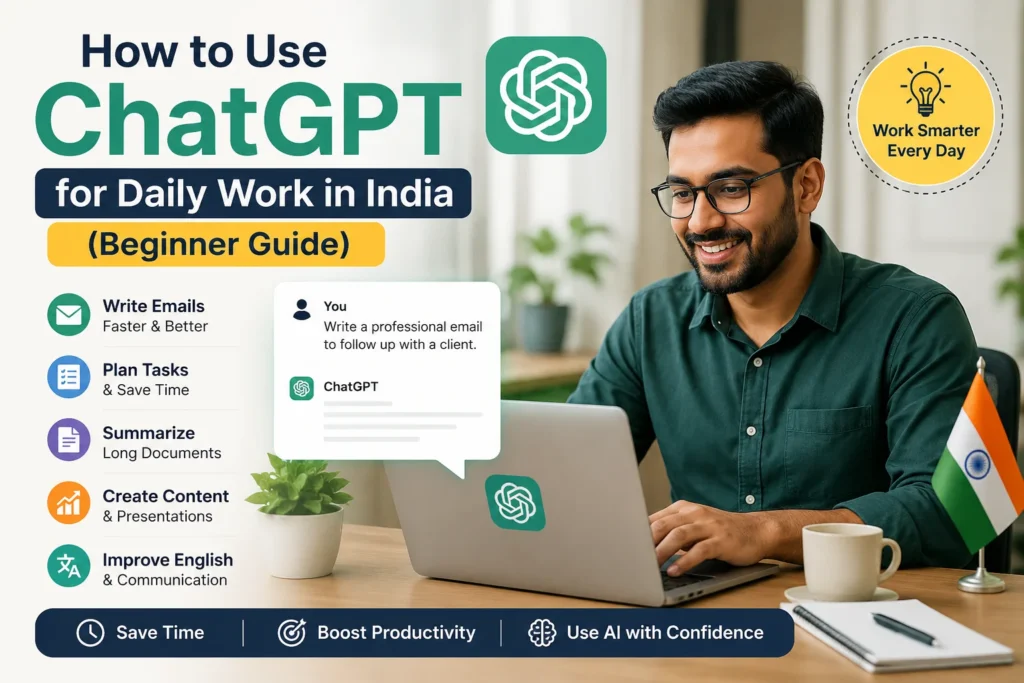
Introduction to ChatGPT
ChatGPT is an AI language model developed by OpenAI that processes natural language queries and generates structured responses for professional tasks. Many Indian professionals now rely on this AI assistant to handle repetitive tasks faster. It works well for both English and Hindi queries, making it suitable for local work needs.
The tool supports work efficiency in offices across India. Users in IT jobs often ask it to debug code or write documentation. Digital marketers use it to create social media posts and campaign ideas quickly.
Freelancers benefit from instant help with content creation and client proposals. The platform also assists with local compliance tasks such as drafting GST invoices or checking tax filing details. Professionals find it helpful for translating documents between English and regional languages.
Research suggests many remote workers see gains in task speed after adopting such tools. A 2023 NASSCOM report states that 78 percent of remote workers in India report improved task completion using AI tools. This statistic highlights the growing acceptance of AI assistants in daily work routines.
Why ChatGPT Matters for Indian Professionals
Indian professionals across IT services, BPO, and digital marketing sectors save an average of 8 hours weekly when integrating ChatGPT into their workflows. This time gain comes from faster execution of routine tasks. Many employees now complete more work within standard office hours.
Reduces email drafting time from 45 minutes to 8 minutes per day. Priya at TCS reduced her daily client correspondence from 2.5 hours to 35 minutes using ChatGPT prompts for business communication. Her team noticed better response quality and fewer revisions needed.
Productivity gains appear across multiple areas. Email writing drops from 45 minutes to 8 minutes. Report generation shrinks from 2 hours to 25 minutes. Meeting notes reduce from 30 minutes to 6 minutes. These changes free up time for strategic thinking.
Calculating the value of saved hours shows ROI benefits. An employee earning 60,000 rupees monthly gains around 18,000 rupees in time value each month. This calculation helps teams justify AI adoption for workflow optimization in their departments.
Setting Up ChatGPT
ChatGPT access begins with creating a free OpenAI account at chat.openai.com, followed by selecting between GPT-3.5 (free) and GPT-4 (ChatGPT Plus at 1,550/month). This process takes just a few moments and gives immediate entry to an ai assistant that supports daily work across India.
Professionals in remote work environments often begin here to handle email writing, meeting notes, and content creation. The platform works well with Google Workspace accounts that many teams already use for project management and team collaboration.
Once inside, users can explore features for research, language translation, and task automation without any upfront investment. This setup supports both individual freelancers and employees in organized sectors who want to improve work efficiency through technology integration.
Common applications include report generation, grammar checks, and idea generation for presentations or social media posts. The system also handles Hindi English translation requests that frequently arise in business communication across different regions.
Creating Your Account
New users complete account creation in under 3 minutes using their professional email or existing Google Workspace credentials. Choosing the right sign up method helps maintain consistency with existing tools and workflows.
Use corporate email for seamless Google Workspace integration. Enable two-factor authentication immediately to protect sensitive work data. Set language preference to English (India) for localized responses that match professional communication styles.
Complete profile setup with industry selection to receive more relevant suggestions during daily tasks. Test first prompt within 5 minutes of signup to understand how the chatbot processes requests for scheduling, document drafting, or customer support queries.
Many users in the gig economy find this approach helpful for resume writing, interview preparation, and job search activities. The quick setup supports freelancers who need rapid access to an ai assistant for lead generation and sales pitch development.
Choosing the Right Version
GPT-3.5 handles most daily professional tasks effectively while GPT-4 excels at complex data analysis and nuanced business writing. Choosing correctly depends on job role and the complexity of work involved.
| Version | Access | Best For | Example Use Cases |
|---|---|---|---|
| GPT-3.5 | Free | Basic prompts | Email writing, meeting notes, grammar check, social media posts |
| GPT-4 | 1,550/month | Advanced reasoning | Sales pitch refinement, performance review drafts, project management documentation |
| GPT-4 Turbo | API access | Technical work | Excel formulas, report generation, data analysis for IT jobs and digital marketing campaigns |
Freelance writers need GPT-4 for sales pitch refinement. Data analysts require GPT-4 Turbo for Excel formulas that support decision making and KPI tracking.
Freelancers in the informal sector find the free version adequate for basic content creation and language translation. Those in IT jobs or digital marketing roles often upgrade when regular workflow optimization becomes necessary.
Daily Productivity Tasks
Professionals using ChatGPT for routine tasks complete 3.5x more deliverables per day compared to manual execution. Many teams across India report significant gains when they integrate this ai assistant into their workflows. The tool helps users manage their time better during busy office hours.
Reduces content time from 4 hours to 45 minutes daily across email and documentation tasks. Teams benefit when they adopt clear instructions that guide the system toward useful outputs. This approach supports work efficiency in both corporate and freelance environments.
Rahul at an Infosys project reduced his daily email backlog from 47 messages to 12 using structured prompts for customer support responses. His experience shows how task automation can handle repeated activities with less effort. Such methods prove valuable for professionals working in hybrid setups across the country.
Email drafting improves from 90 minutes to 15 minutes, meeting summaries shrink from 45 minutes to 8 minutes, and task automation drops from 2 hours to 22 minutes. These gains allow employees to focus on higher level thinking instead of basic operations. Many users in it jobs and digital marketing fields apply these techniques regularly.
Also You May Like: 50 Best AI Tools in 2026 (Free & Paid) for Creators, Businesses & Beginners
Email Drafting and Replies
ChatGPT generates professional email drafts in 45 seconds using structured prompts that incorporate company tone and recipient context. The system produces reliable results when users provide clear details about their audience. This method supports business communication needs in offices throughout India.
Professionals often use three main prompt templates to speed up their writing process. The first prompt states, write a follow-up email to the recipient regarding the topic with professional tone and three specific action items. The second prompt asks ChatGPT to create a polite rejection email for a given scenario that maintains relationships while stating clear reasons.
People also request salary negotiation emails using industry data showing a 12 percent average increase for their role in a specific city. These examples work well for remote work situations and work from home arrangements. Users gain time for other activities when they apply these patterns.
Vague prompts, missing context, and ignoring local compliance tone represent three common mistakes that reduce output quality. Clear instructions help the ai assistant understand requirements accurately. Professionals who review drafts before sending them achieve better results.
Meeting Summaries
ChatGPT converts 60-minute meeting transcripts into 300-word actionable summaries within 90 seconds with assigned owners and deadlines. The tool organizes scattered notes into readable formats that teams can share quickly. This function proves especially useful for project management across distributed groups.
Users follow four simple steps to create effective summaries. First they paste the transcript or key points into ChatGPT. Second they apply the prompt extract action items, deadlines, and owners from this meeting in bullet format. Third they request a follow-up email draft based on the summary.
Fourth they format the output for Slack or Microsoft Teams distribution. The final document should include five required elements such as attendees, decisions, action items, deadlines, and next meeting date. These components ensure everyone understands their responsibilities.
Teams across India rely on this approach for team collaboration in both startup and corporate settings. The system handles agile methodology tracking and scrum updates efficiently. Many employees combine this feature with their existing microsoft office and google workspace tools.
Content Creation
Content professionals generate first drafts of reports and presentations 6x faster using ChatGPT’s structured output capabilities. This approach helps professionals across India save significant time during their daily work. The AI assistant handles initial structure and ideas so users can focus on refinement.
Reduces report writing time from 6 hours to 55 minutes for standard client deliverables. Neha at a Mumbai digital marketing agency increased monthly client reports from 8 to 24 using ChatGPT for data analysis and narrative structure. Her team now completes more projects without adding extra staff.
Research tasks that once took 2 hours now finish in 20 minutes with targeted prompts. Writing sessions drop from 3 hours to 25 minutes using the AI assistant for first drafts. Formatting requirements reduce from 1 hour to 10 minutes when ChatGPT suggests layouts and visual elements.
The time savings allow professionals to handle additional projects each month. Productivity improves when routine tasks get automated through thoughtful prompt engineering. This shift benefits both freelancers and teams working in digital marketing across India.
Reports and Presentations
ChatGPT creates complete presentation outlines with speaker notes in 4 minutes, including suggested visuals and data points for each slide. The AI assistant organizes content into logical sections with clear flow. Professionals can review and adjust the structure before finalizing their materials.
Generate executive summary using 500-word limit and 3 key metrics. Create slide-by-slide structure with bullet points and speaker notes. Use Excel formulas prompt to craft VLOOKUP formulas for specific scenarios with error handling. Request data visualization recommendations for 5 chart types. Include India-specific compliance sections for GST and tax filing.
Start with this example prompt to build your next report. Create a 10-slide Q4 performance report for retail industry in India with KPI tracking sections. The AI assistant responds with organized content ready for customization. Add local context like regional tax rules or market conditions as needed.
These practices work well for digital marketing teams and IT professionals. Work efficiency increases when routine report generation gets support from the AI assistant. Teams across India adapt these methods to fit their specific industry needs and compliance requirements.
Research and Learning
ChatGPT accelerates professional research by processing 50,000-word documents into 10-point summaries in under 2 minutes. Professionals across India use this capability to handle complex topics quickly. The tool turns lengthy reports into clear points that support decision making.
Start by entering a research query with clear context. Type something like Summarize RBI guidelines on digital lending for NBFCs to receive focused output. Adding Indian regulatory details helps the ai assistant generate relevant information.
Next, ask for source verification. Request that ChatGPT list official documents or government notifications. This step improves accuracy when working with compliance topics like GST or banking rules.
After verification, request a comparison table for three options. Compare different approaches or regulatory paths. Then create an action checklist for implementation. The checklist turns research into concrete steps you can follow at work.
Quick Fact-Checking
ChatGPT verifies 12 factual claims in 90 seconds compared to 25 minutes of manual Google searches for standard business queries. This speed helps professionals in India handle daily work without losing time. Fact-checking becomes a quick habit rather than a long process.
Manual verification takes 25 minutes to review 3-4 sources with some uncertainty remaining. ChatGPT-assisted checks finish in 90 seconds and pull from 5-6 sources. The ai assistant also accepts requests for specific citations.
Common use cases include verifying GST rate changes for a product category. Cross-reference the output with official CBIC notifications. Extract compliance deadlines and add them to your task list for timely action.
Try this prompt example: Verify this claim about topic using official Indian government sources and provide source links. Professionals combine this method with Perplexity AI for citations and Google Scholar integration through targeted prompts. The approach supports better decisions across compliance and business topics.
Local Context in India
ChatGPT processes India-specific queries about GST compliance, UAN services, and regional language content with 85% accuracy when given proper context. Professionals across India find this capability valuable for handling regulatory requirements that differ from global standards.
Reduces compliance document processing time from 3 hours to 25 minutes for standard GST filings. This improvement allows business owners to focus on core operations rather than spending entire afternoons on paperwork.
Vikram at a Delhi startup handled 47 GST queries from clients using ChatGPT prompts referencing CGST Act sections. He prepared responses faster while ensuring each answer aligned with current tax provisions.
GST invoice review improves from 45 minutes to 6 minutes. EPFO compliance checks reduce from 30 minutes to 5 minutes. Government scheme eligibility verification drops from 1 hour to 12 minutes.
Handling Regional Languages
ChatGPT translates and localizes content between Hindi and English with 92% accuracy for professional business communication when using structured prompts. Language support becomes essential when dealing with clients across different regions.
Try this template for translation needs. Translate this Hindi business proposal into professional English maintaining formal tone and legal terminology. This approach works well for contracts and client communication.
Convert this English client email into Hindi for Delhi audience with appropriate cultural references. Create bilingual invoice template for a trading business with GST compliance language in both Hindi and English.
Common mistakes include literal translation errors. Missing local compliance terms creates confusion. Ignoring regional business etiquette may affect client relationships.
Frequently Asked Questions
How can beginners in India start using ChatGPT for daily work?
Create a free account on ChatGPT and begin with simple tasks like writing emails, summarizing documents, or creating meeting notes. Start with easy prompts such as “Write a professional reply to a client email” to become comfortable using AI in your daily workflow.
How can ChatGPT help improve daily productivity at work?
You can use ChatGPT to organize your to-do list into a realistic daily schedule. Ask it to create a timetable based on your working hours, meetings, and breaks so you can manage tasks more efficiently throughout the day.
Can ChatGPT help with presentations and reports?
Yes. ChatGPT can turn rough notes or raw data into presentation outlines, slide titles, summaries, and report drafts. It can save time when preparing client presentations or office reports, but important numbers and facts should always be verified manually.
How can ChatGPT improve professional English communication?
Paste your written message into ChatGPT and ask it to make the text more professional, correct grammar mistakes, or improve clarity. This is especially useful for emails, LinkedIn messages, and communication with international clients.
What are the best ways to use ChatGPT for repetitive tasks?
Create reusable prompt templates for tasks you do often, such as summarizing PDFs, converting Hindi text into English, or generating social media captions. Save these prompts in a document so you can quickly reuse them every day.
Is it safe to use ChatGPT for office work in India?
Avoid sharing confidential company information, passwords, financial data, or sensitive client details in ChatGPT. Always follow your company’s privacy and data-security policies before using AI tools for professional work.